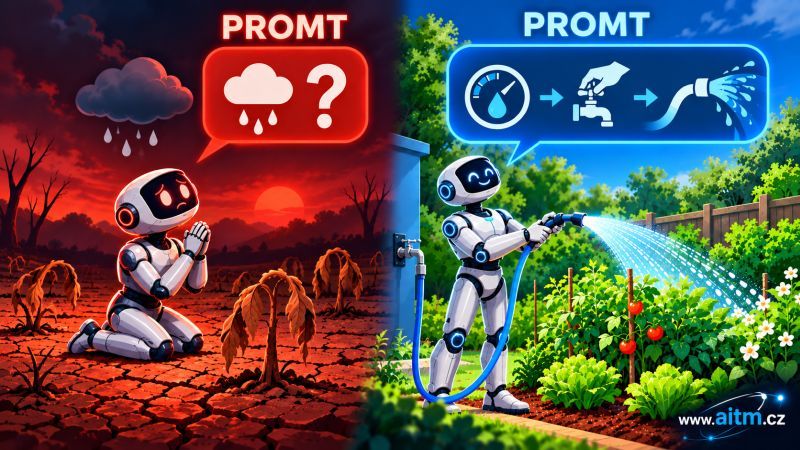
Two people give an AI agent what looks like the same request — and get two completely different quality results. What actually differs between those requests, and how can you spot it before the AI even starts working? The answer is a simple rule: the better and more specifically you describe a request, the better the AI executes it. It sounds obvious, but in practice it's the most common cause of bad results — not insufficient model capability, but an insufficiently described request.
Bad prompt: "Fix the login bug."
Good prompt: "In AuthService.login(), an error occurs when a user enters an email with uppercase letters — the DB comparison is case-sensitive. Fix the email normalization to happen BEFORE the comparison; don't touch password hashing or the rate limiting in LoginThrottle.ts."
The second prompt contains four key things the first one lacks:
- The exact location (file/function), not a generic description.
- A description of the root cause, not just the symptom.
- Exactly what to do, not just "fix it."
- What must not break — an explicit boundary on the change.
Without point 4, AI tends to "improve" things you never wanted touched — and that's exactly the moment downstream logic breaks.
It's similar to explaining to a five-year-old what to do. You tell them what and how, but just as important is telling them what not to do. For a child, that boundary is mostly educational; for AI, it's a precise definition of what it must not explore or modify — and that boundary sharpens the result far more than any description of what to look for ever could.
The same logic applies inside a single prompt: if you cram several unrelated requirements into it at once, the AI doesn't know which one takes priority, and it often interprets the task differently than you intended. Hence the simple rule: one prompt = one specific thing.
This holds just as much for hand-written prompts as for automatically generated tasks. And this discipline is exactly what can be automated — so that a prompt doesn't come from whatever a person happens to remember, but from real, current knowledge of the code (contracts, the DOM map, business logic) that AITM maintains on your behalf.
Before we look at the prompt structure itself, one more thing is worth knowing: AITM doesn't write every task prompt the same way. When a task is created, it first classifies itself (or you choose) into one of three categories — bug (fixing existing behavior), enhancement (improving something that already exists), or feature (entirely new functionality) — and each category produces a different set of requirements and verification criteria. For now, let's focus on what all three types share: a fixed 5-block structure.
How AITM actually does it — the real prompt structure
AITM doesn't write task prompts freeform. Every task prompt generated from chat or brainstorming consists of 5 fixed blocks, in this order — and each block solves one specific problem that would otherwise lead to an unclear task:
- Role — at most 3 sentences describing what role and how conservative an approach the agent should take. Without this block, the agent doesn't know how much "creativity" it's allowed — and creativity without guardrails is exactly what leads to unwanted changes.
- Context — why the task exists: the user's report, the problem's history, who owns the area. It's set apart with the sentence "Context (background only — implement nothing from this block)", because without that sentence the agent risks accidentally implementing something from the background story instead of focusing purely on the requirements.
- Requirements — one numbered block per requirement, each with a precise, verifiable acceptance criterion. Splitting requirements into numbered blocks directly solves the problem discussed above — one block, one specific thing, no mixing several requirements into a single sentence.
- Scope — three lines: In scope (what may be changed), Out of scope (what must not be changed, and who owns it), Must not break (which contracts must keep holding true). This is a direct implementation of the rule "tell the AI what not to do too" — without this block, the agent doesn't know where the boundaries of its change are.
- Output and verification — every new file the task creates, plus concrete verify commands scoped only to what this specific change could break. This way the task isn't closed on "looks done," but on a measurable "this exact command passed."
Notice contract references like %AUTH-012 — this is a reference to a specific contract, inserted with an exact syntax that AITM recognizes and automatically expands into the full behavior description. This is exactly the difference between "write your own prompt" and a system that enforces precise structure and citations for you.
What a contract actually contains. In AITM, a contract is a record in the project's SQLite database, not a code comment. It has a short ID (a module prefix plus a number), a module (which part of the system the behavior belongs to), and most importantly a behavior field — a precise, multi-sentence description of the mechanism, often with a reference to specific lines in a file and to the task number where the behavior originated. It also carries a list of the files the contract touches, optionally a danger zone, and a list of variables it relates to. When the agent sees a "Must not break" reference in the prompt, AITM inserts this entire description instead of the bare code — so the agent knows exactly what behavior it must not violate.
And unit tests? They have their own code too — every test block in AITM's tests carries a unique tag at the start of its description. This lets you address a specific test just as precisely as a contract. A contract also pairs itself with the path to the test file, so a contract reference ends up carrying not just the behavior description but also a direct link to the test that guards it.