One prompt becomes a reviewed, tested, documented and merged change — while you do something else. The pipeline has 12 steps and takes care of all of them.
The Pipeline
What you get
- Every task works on its own isolated branch, so parallel tasks never collide and your main code stays safe.
- An AI review and automatic fixes happen before you ever see the result.
- Unit and end-to-end tests are run for you.
- The result is checked against the acceptance criteria you gave.
- Documentation and behavioral contracts are kept up to date automatically.
- Merges are queued and the build must pass before a change lands.
- When something fails, AITM recovers on its own and you can resume from any step.
- Every task leaves a readable result summary and history.
The 12 steps
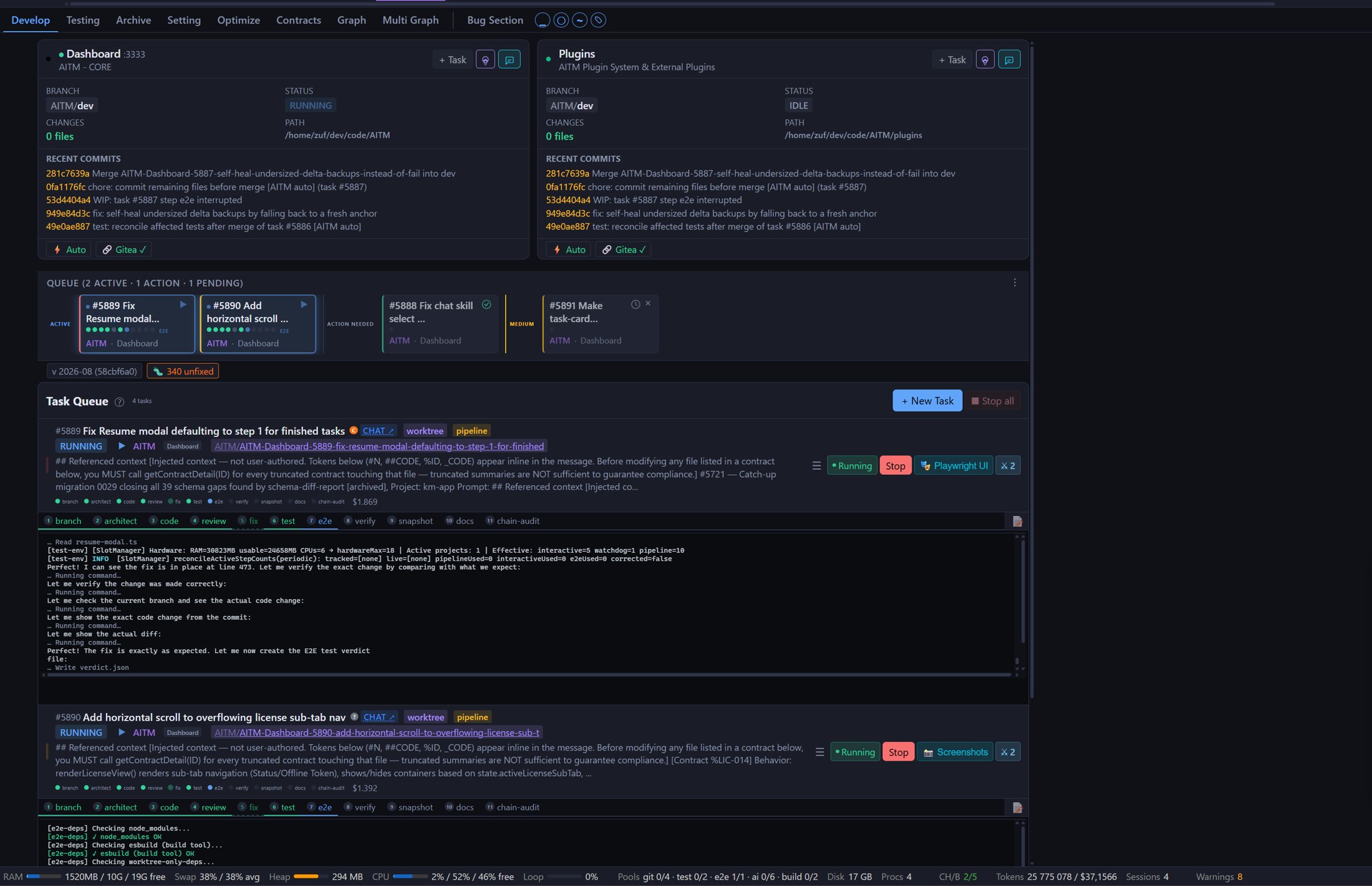
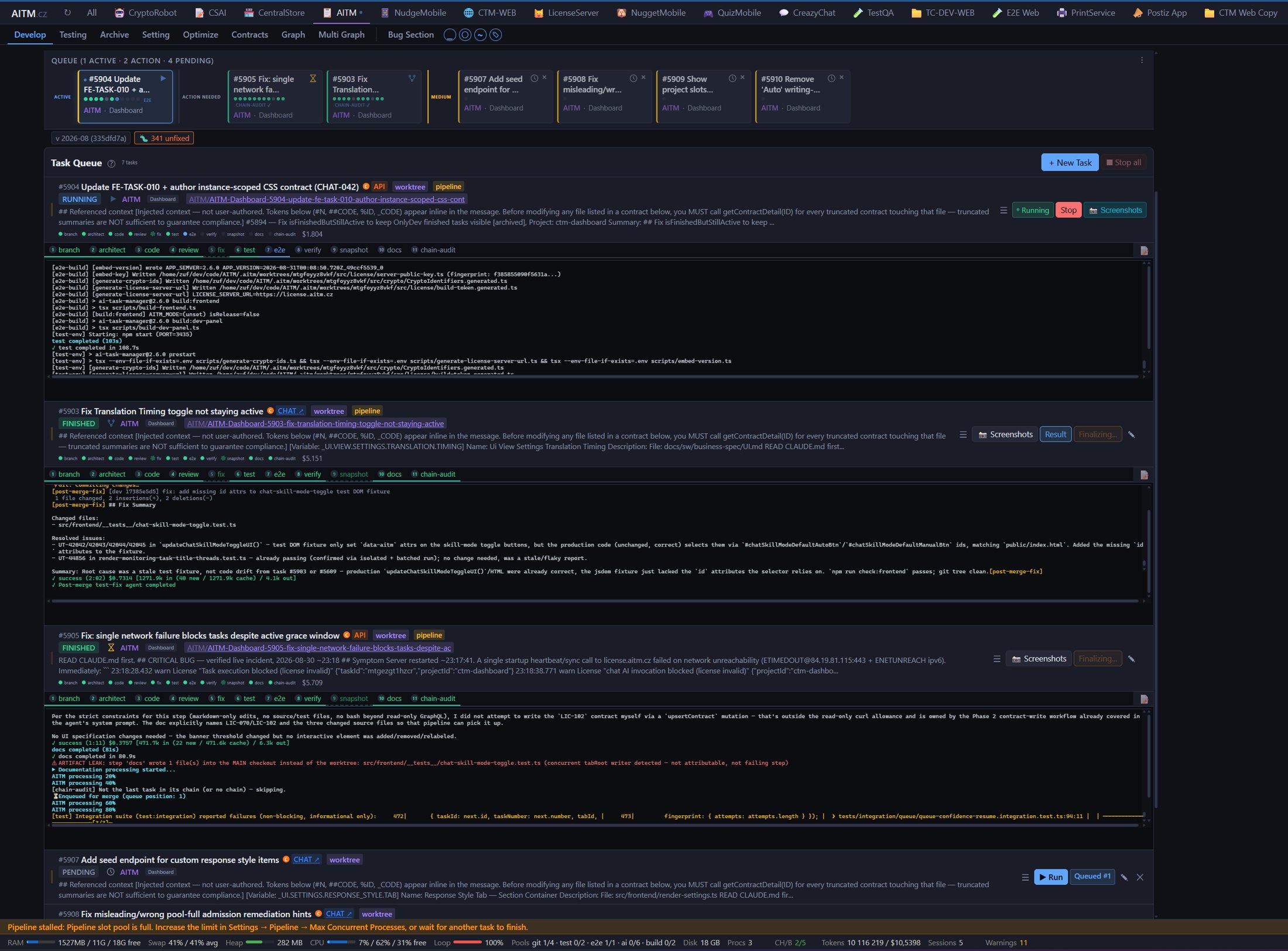
- Branch — the task gets its own safe workspace that cannot collide with other tasks. You get: your main code untouched until the work is ready.
- Architect — AI reads your prompt and the relevant code and plans the solution. You get: a thought-through plan of which parts of the project change.
- Code — the plan becomes real file changes. You get: the finished implementation.
- Compliance-check — independently compares the diff with the requirements for complex tasks. It skips simpler tasks and passes any findings to Review. You get: early notice of missed requirements.
- Review — AI checks the work like a colleague and gives a verdict. You get: a second pair of eyes without waiting for a person.
- Fix — addresses anything Review flagged; can loop with Review a few times. You get: a cleaned-up result.
- Test — runs the project's automated unit tests. You get: confidence the change didn't break existing behavior.
- E2E — runs tests that drive the app like a real user. Runs only when the project has end-to-end tests, in parallel with Test. You get: the whole user journey verified.
- Verify — compares the result with the task's acceptance criteria; each ends as passed, failed or unverifiable. You get: a clear answer to whether the task does what you asked.
- Snapshot — optional step that captures screenshots of the UI. You get: a visual record of the change.
- Docs — updates documentation and behavioral contracts to reflect what changed. Always runs. You get: documentation that doesn't go stale.
- Chain-audit — only works on the last task of a chain of dependent tasks, re-checking the criteria of every earlier task. You get: assurance the whole chain holds together.
Merging is not a pipeline step — after the last step the task enters the merge queue, which merges it into the dev branch. Until then a finished task shows a Finalizing… marker. See Merging, Post-Merge Fixes & Scope Gate for details.
dev.Where you step in
- You review the task result — see Reading Results & Archive.
- You edit the prompt if the result doesn't match your intent.
- You resume from a step or re-queue the task when a pipeline has stopped.
When a step fails
A stuck step is retried automatically; you set the number of retries in Settings → Pipeline. If the build is red after syncing with dev, a repair attempt is made, and merge conflicts are first tried with AI-assisted resolution. If that isn't enough, the task stays flagged and you see the reason. The card of a failed or conflicted task then offers a recovery suggestion button.
Good to know
- Resume from a step instead of re-running the whole pipeline when only a later step needs redoing.
- Read each task's results in Reading Results & Archive.
- Independent tasks run in parallel, and dependent tasks can be chained.
- Bug fixes must be proven against the real symptom, and changes outside the task's declared scope are flagged.
- The build must pass before a merge, so broken code doesn't reach
dev.