Shipping Code With AI Takes Discipline
Without the right setup, AI coding brings real risk: how do you configure the AI and its agents so they never break logic and structure that already works? AITM's pipeline is built around that exact problem.
Prompt Quality and Smaller Steps
The more precisely a requirement is described, the better the AI executes it. Splitting work into smaller, independently verified pieces consistently beats one giant prompt.
Fewer Hallucinations
A plain AI agent tends to pick the nearest-sounding answer instead of the one the business actually needs. Injecting business logic and explicit must-not-break constraints into the prompt — not just testing afterwards — is what keeps it on track.
Verification That Isolates Blast Radius
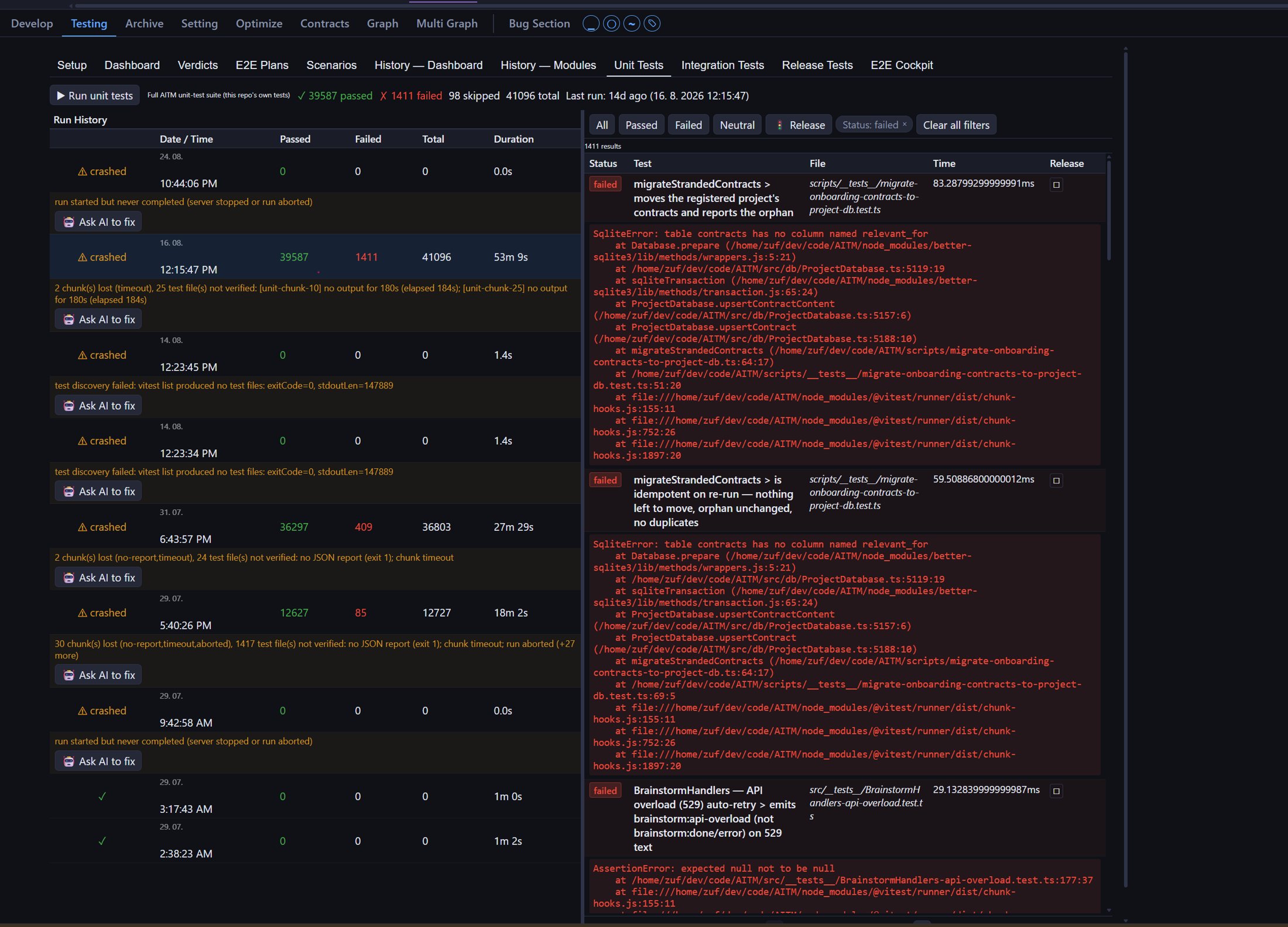
Unit, integration and end-to-end tests prove a change didn't break anything outside its own task.
Context Before a Single Line Changes
The Architect step reads contracts, DOM elements and behavior chains before coding starts, so the generated prompt is tailored to avoid the places that must not change — and every task (Bug, Feature, or Enhancement) is verified differently, by design, to match the kind of risk it carries.
AITM is used by development teams and solo developers who want to hand off routine coding to AI agents while staying focused on architecture and decisions. It solves the chaos of parallel tasks, lost context between conversations, and the need to manually review every code change. They need a tool that guarantees worktree isolation, automated testing, and an auditable history — without sacrificing development speed. AITM gives them confidence that AI-generated code goes through the same discipline as human-written code, while saving hours every day.
 From Prompt to Merged Code — Fully Automated
Submit a Task.
Ship Tested, Merged Code.
Describe what you need once. AITM designs the approach, writes the code, reviews it, fixes what's broken, tests it end-to-end, updates the docs, and merges it into your dev integration branch — without you touching a keyboard again until it's done.
 v1.0.0 available now
 See AITaskManager in Action
Click any tab to explore. Click the image to zoom.
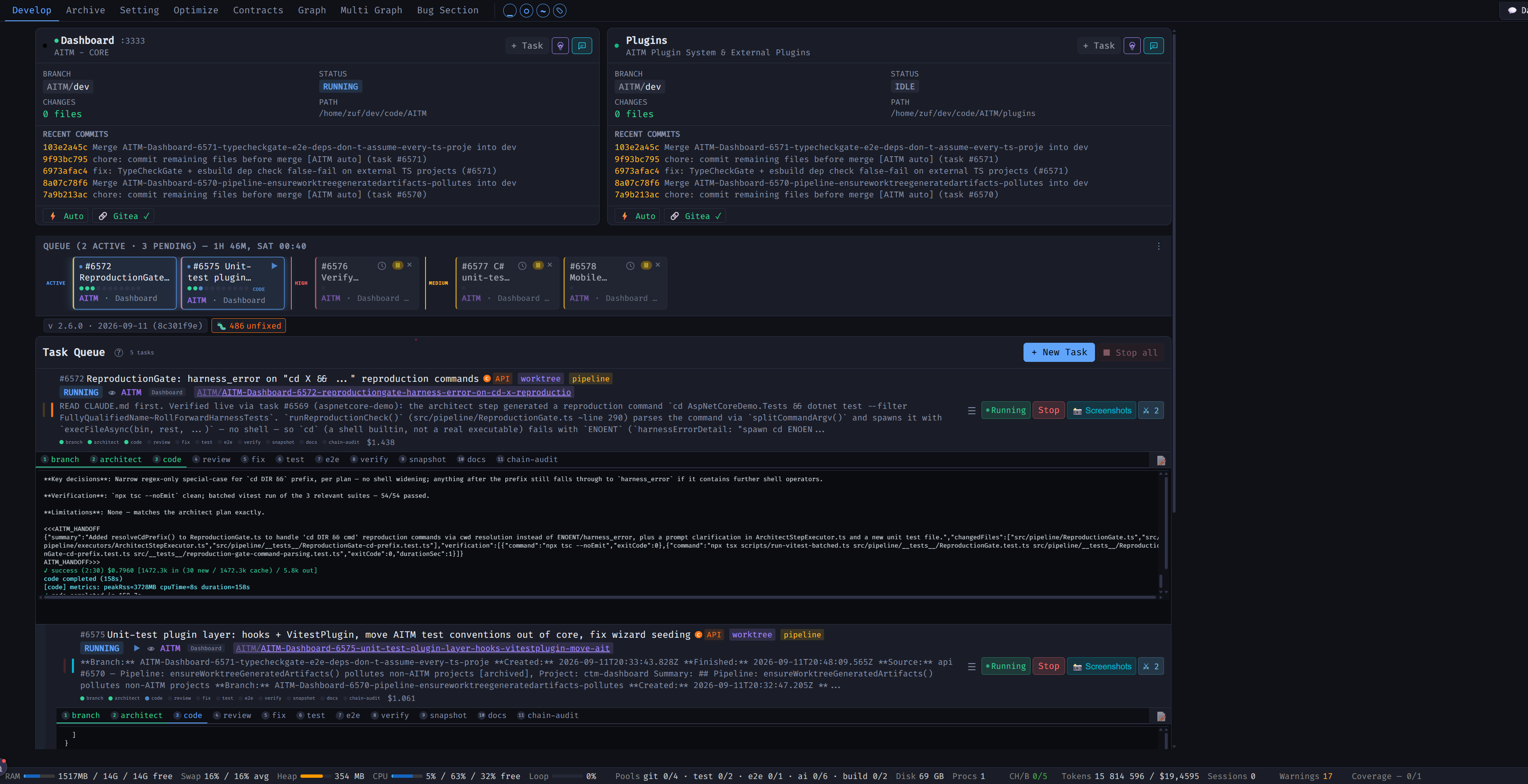
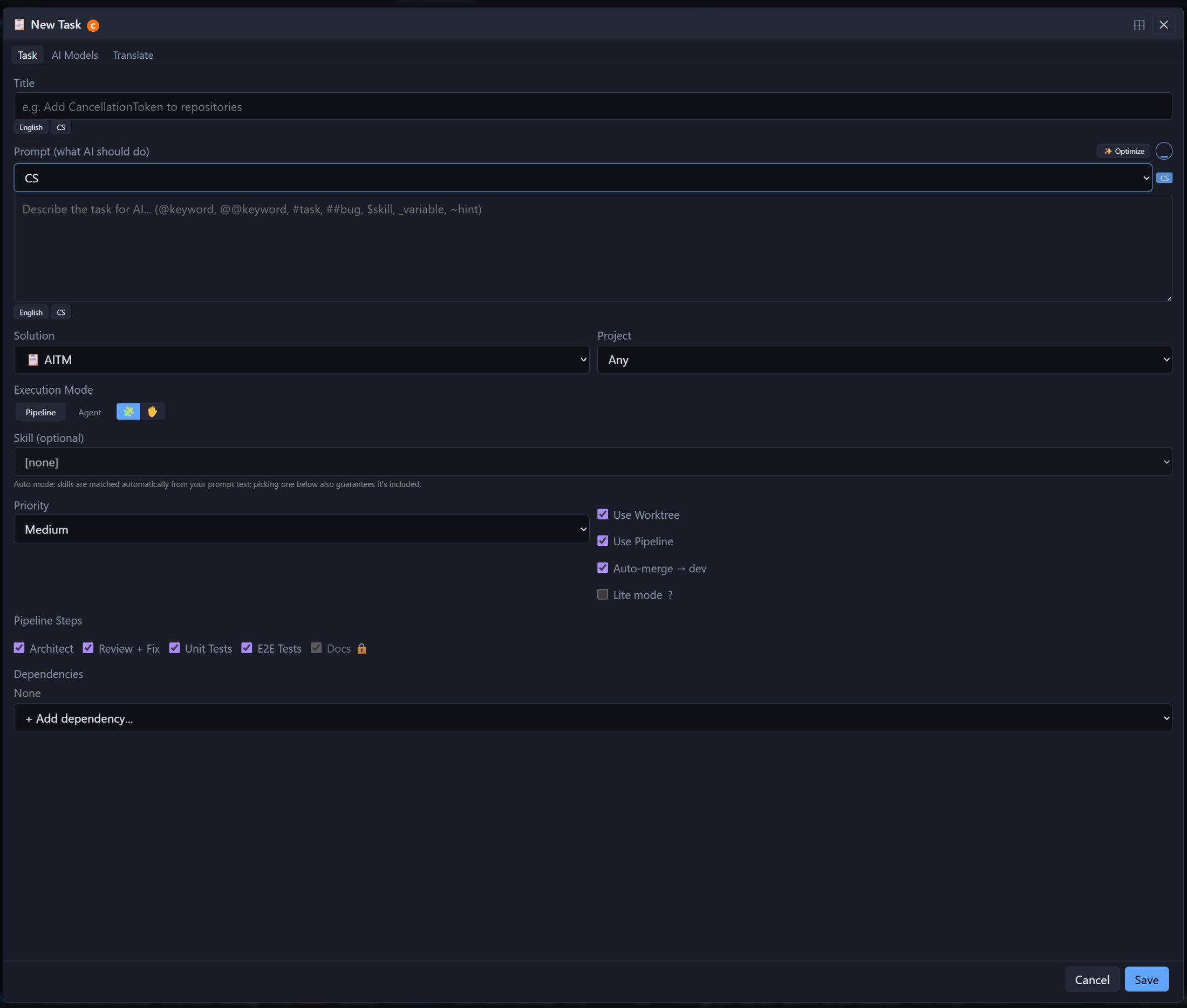
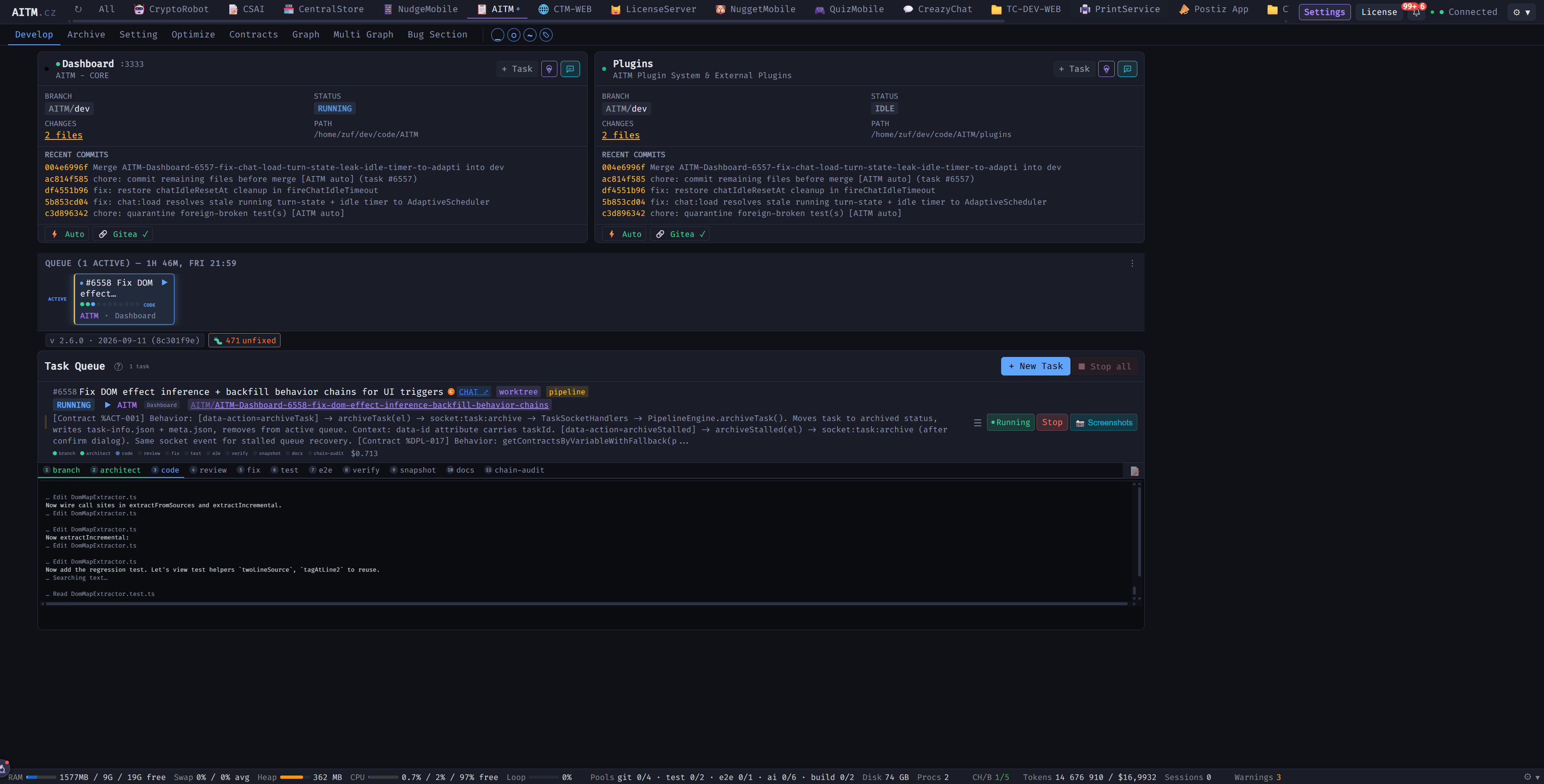
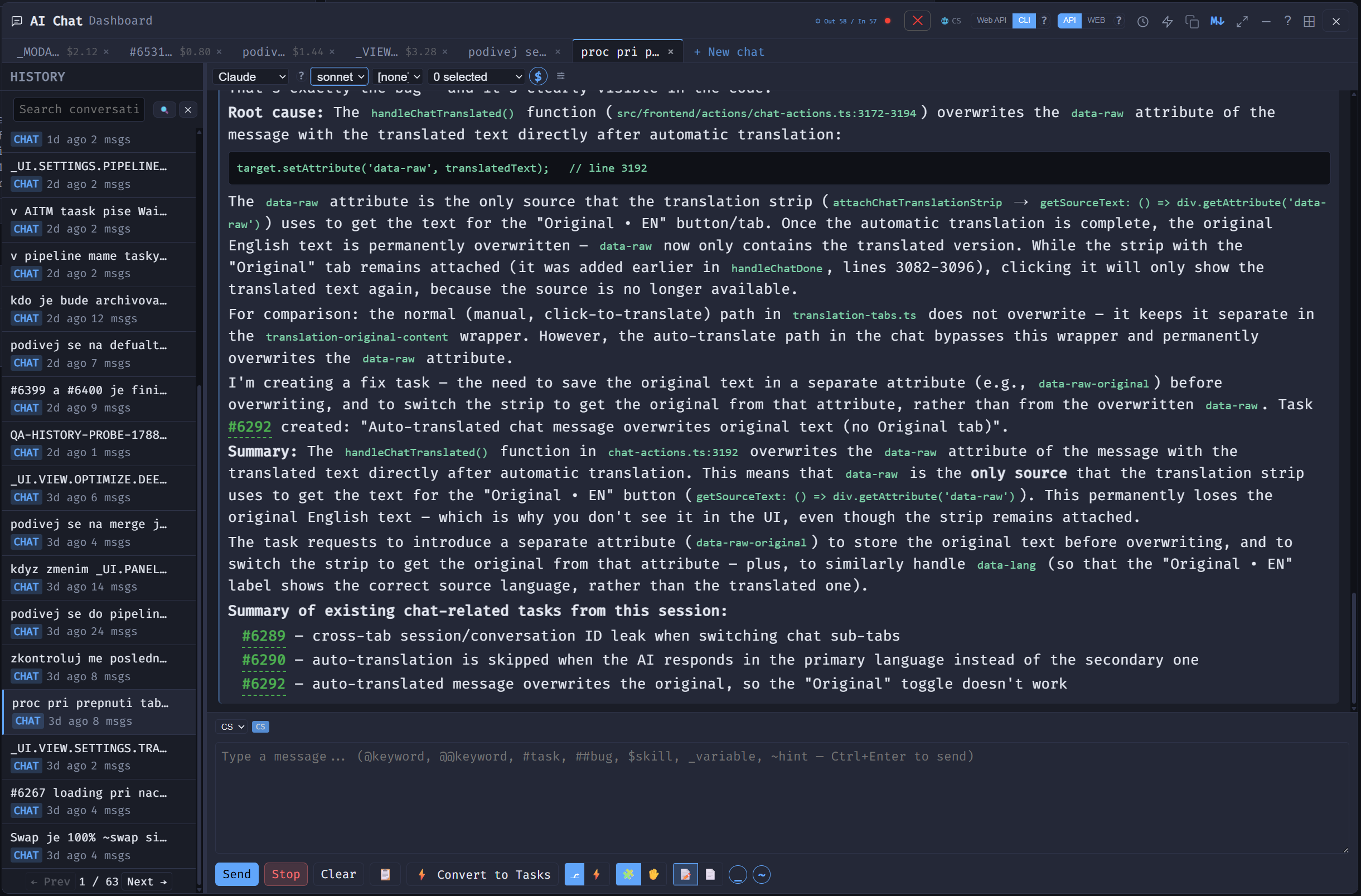
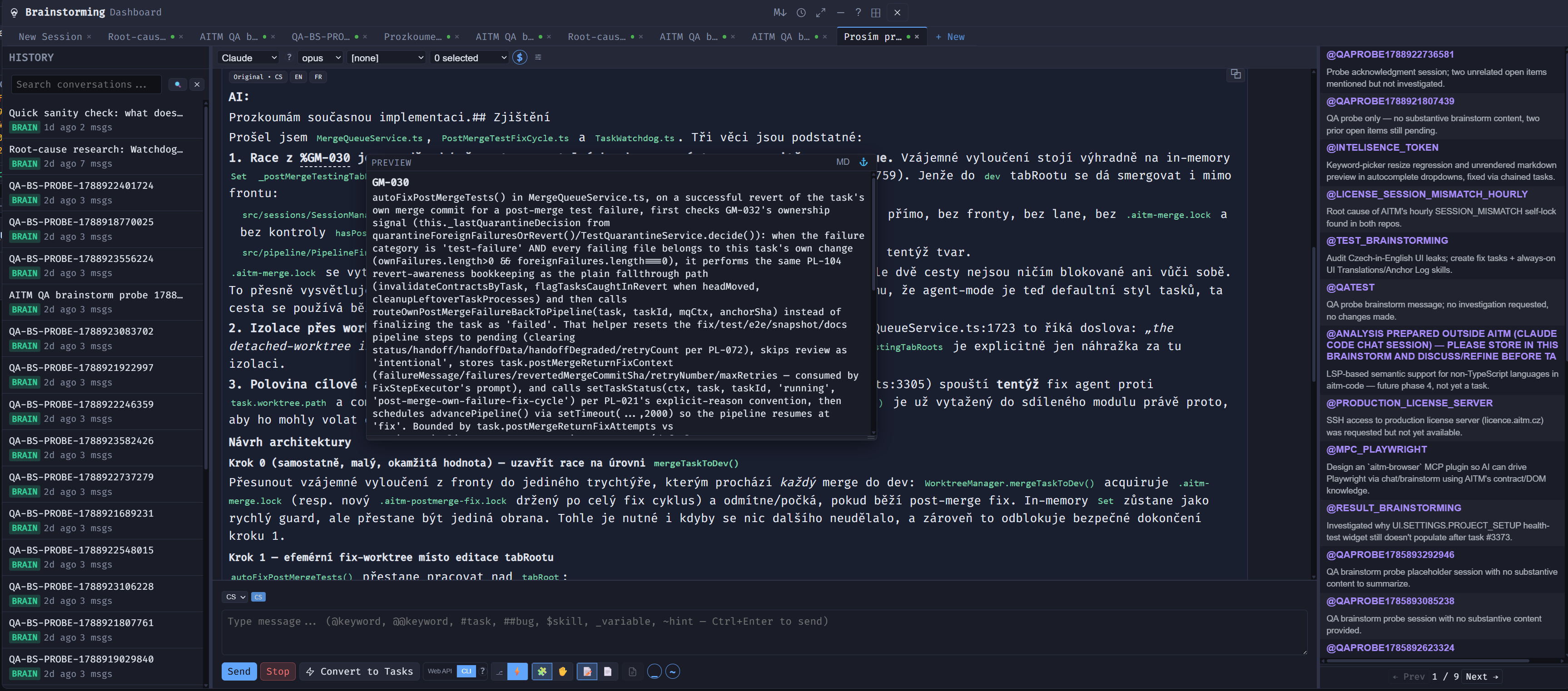
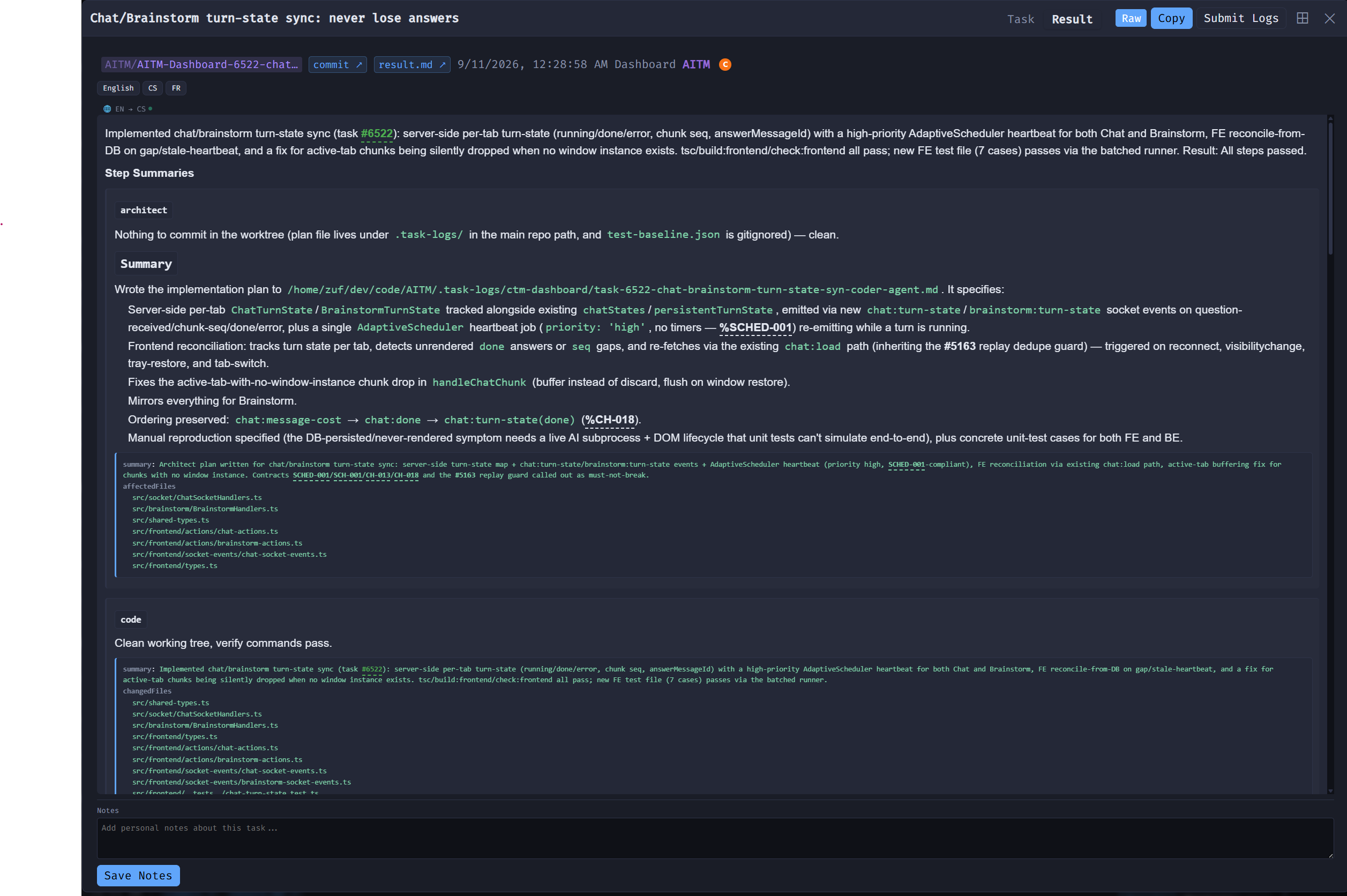
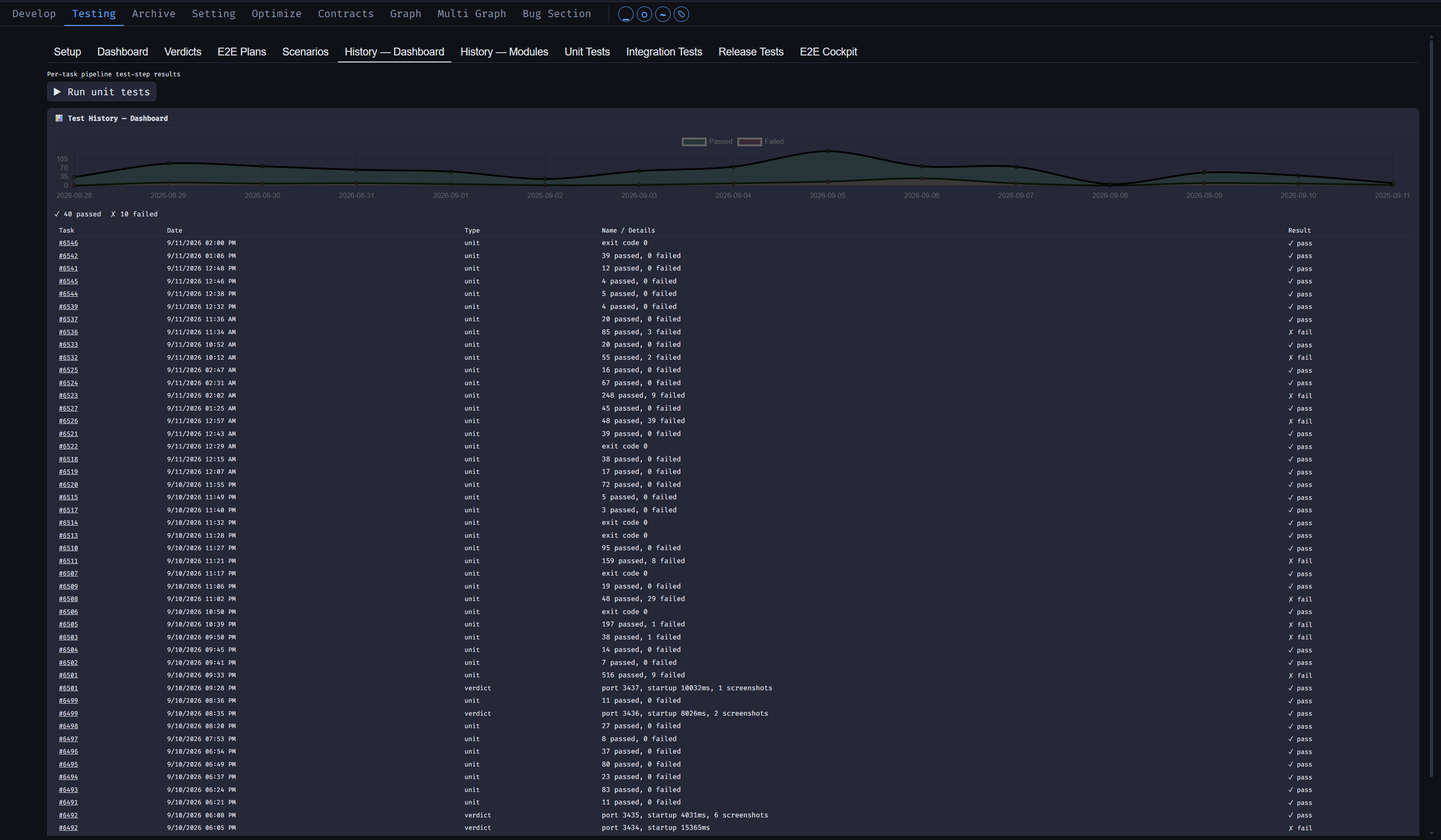
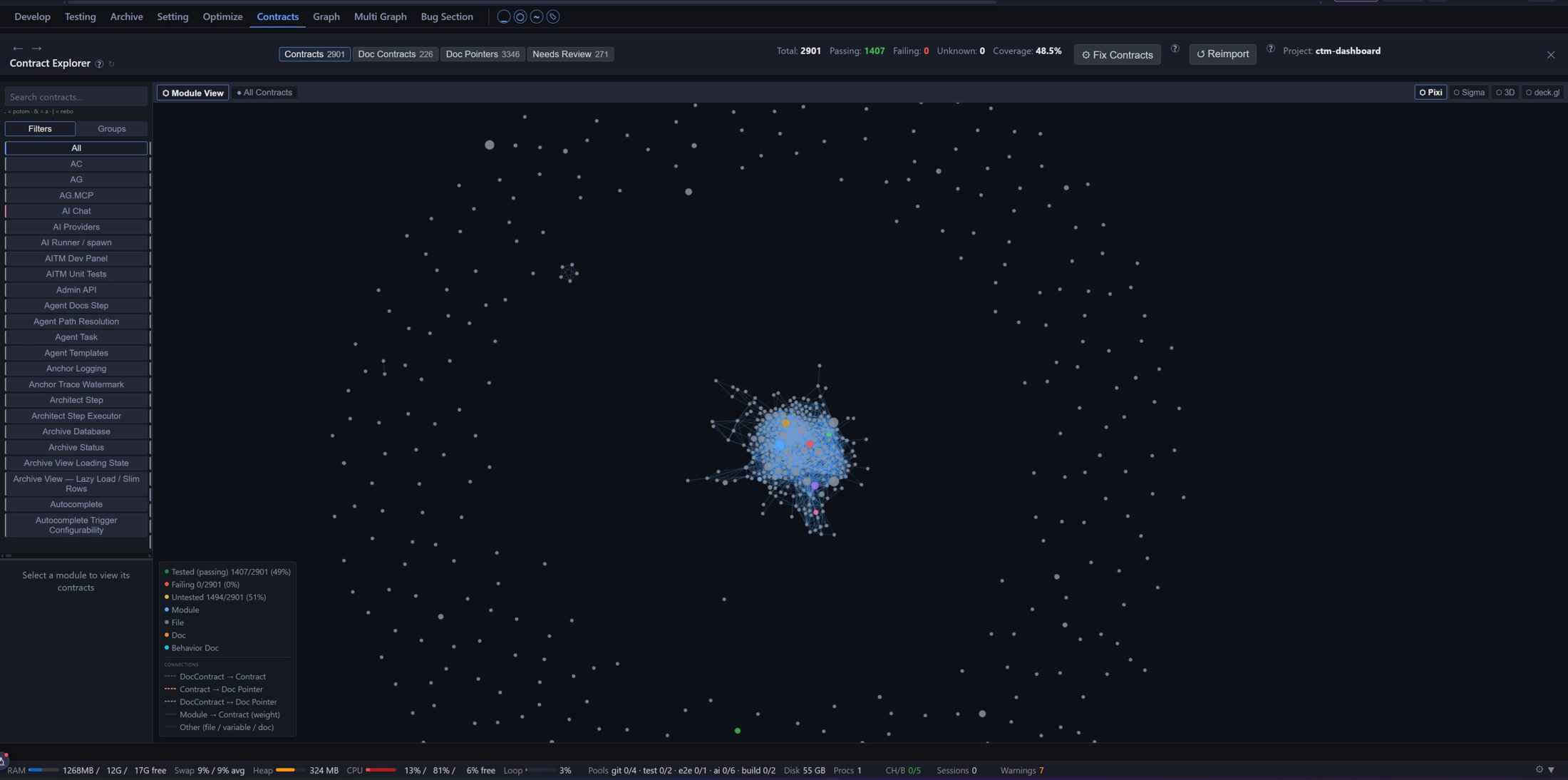
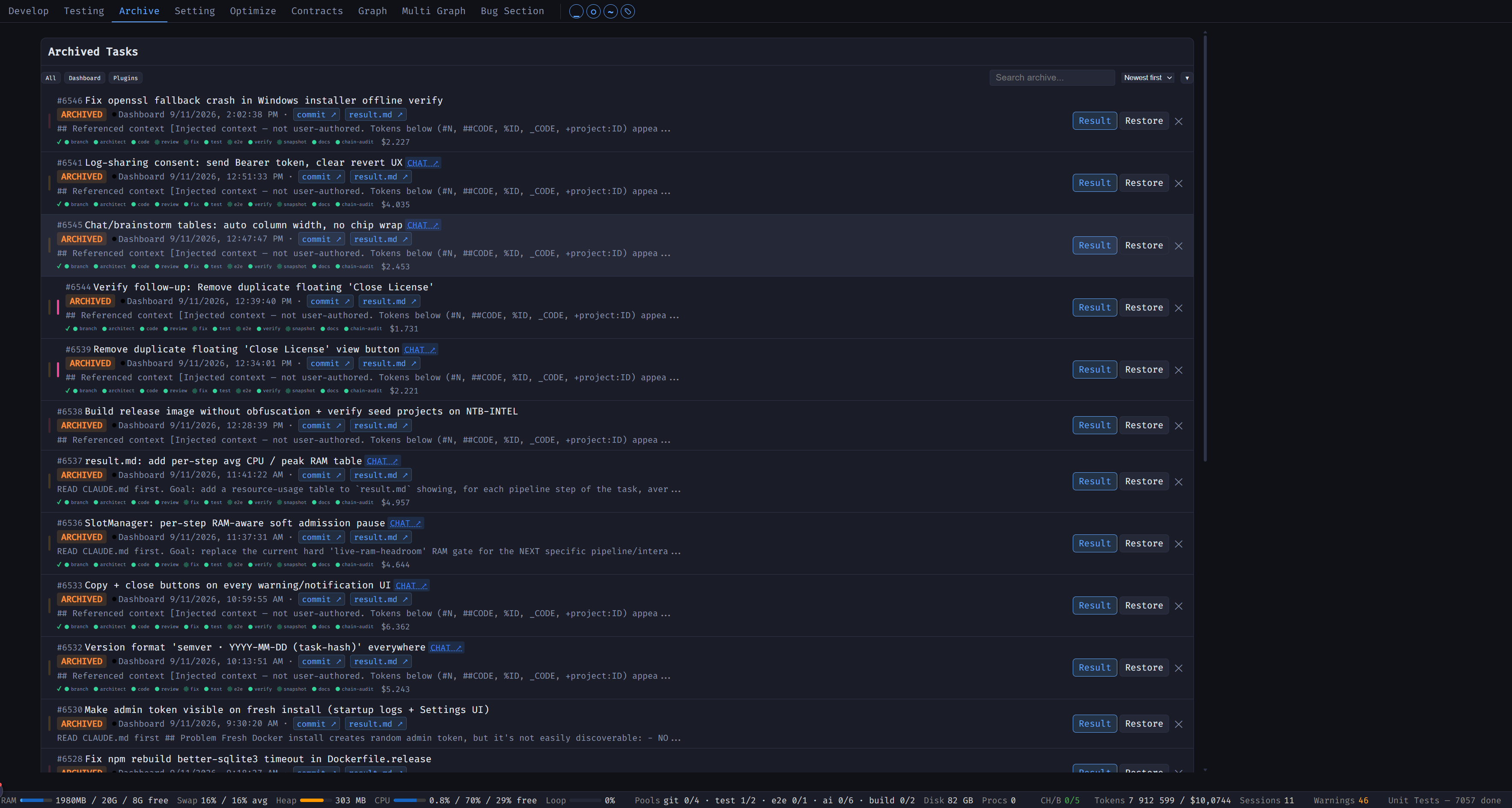
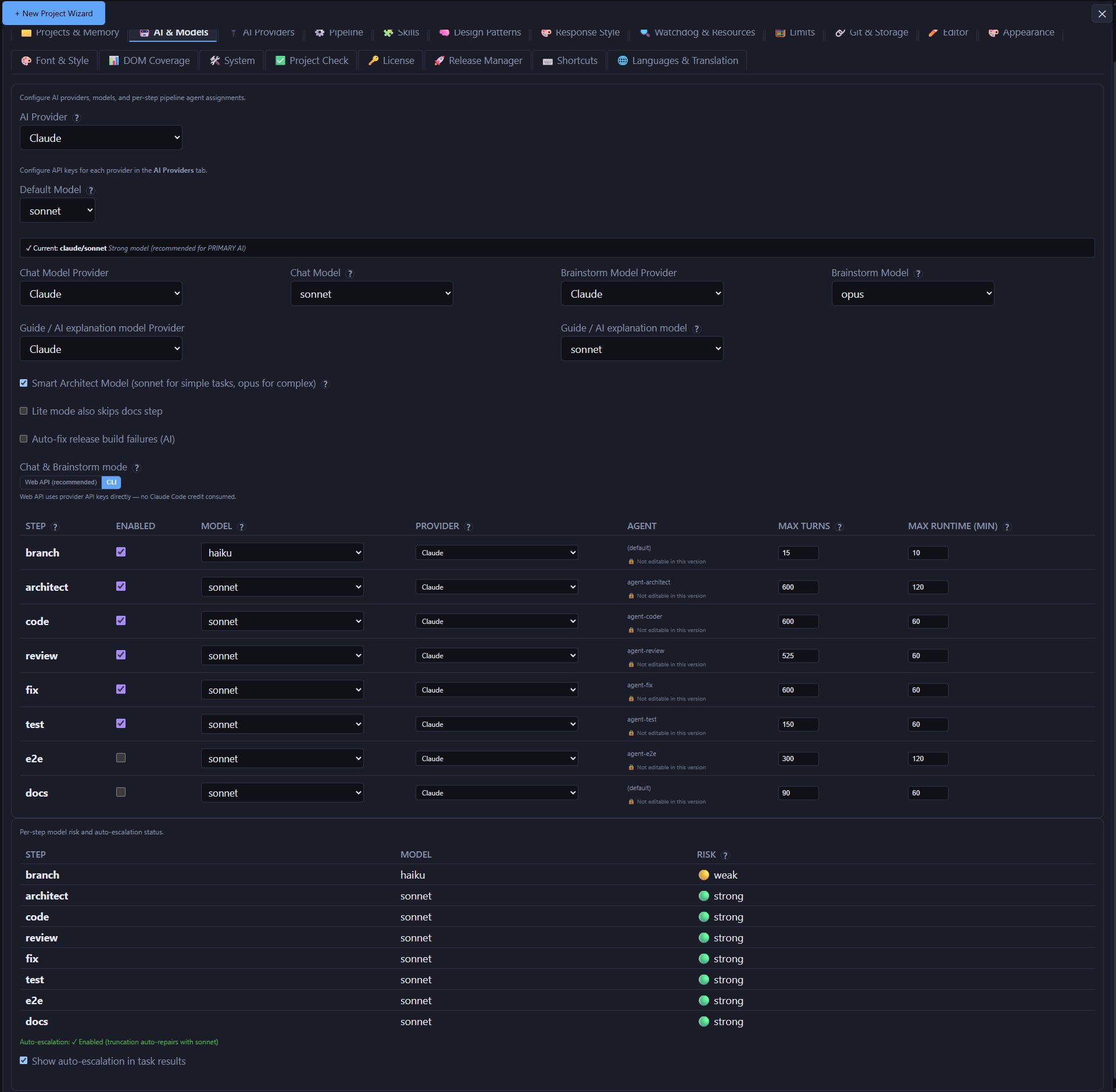
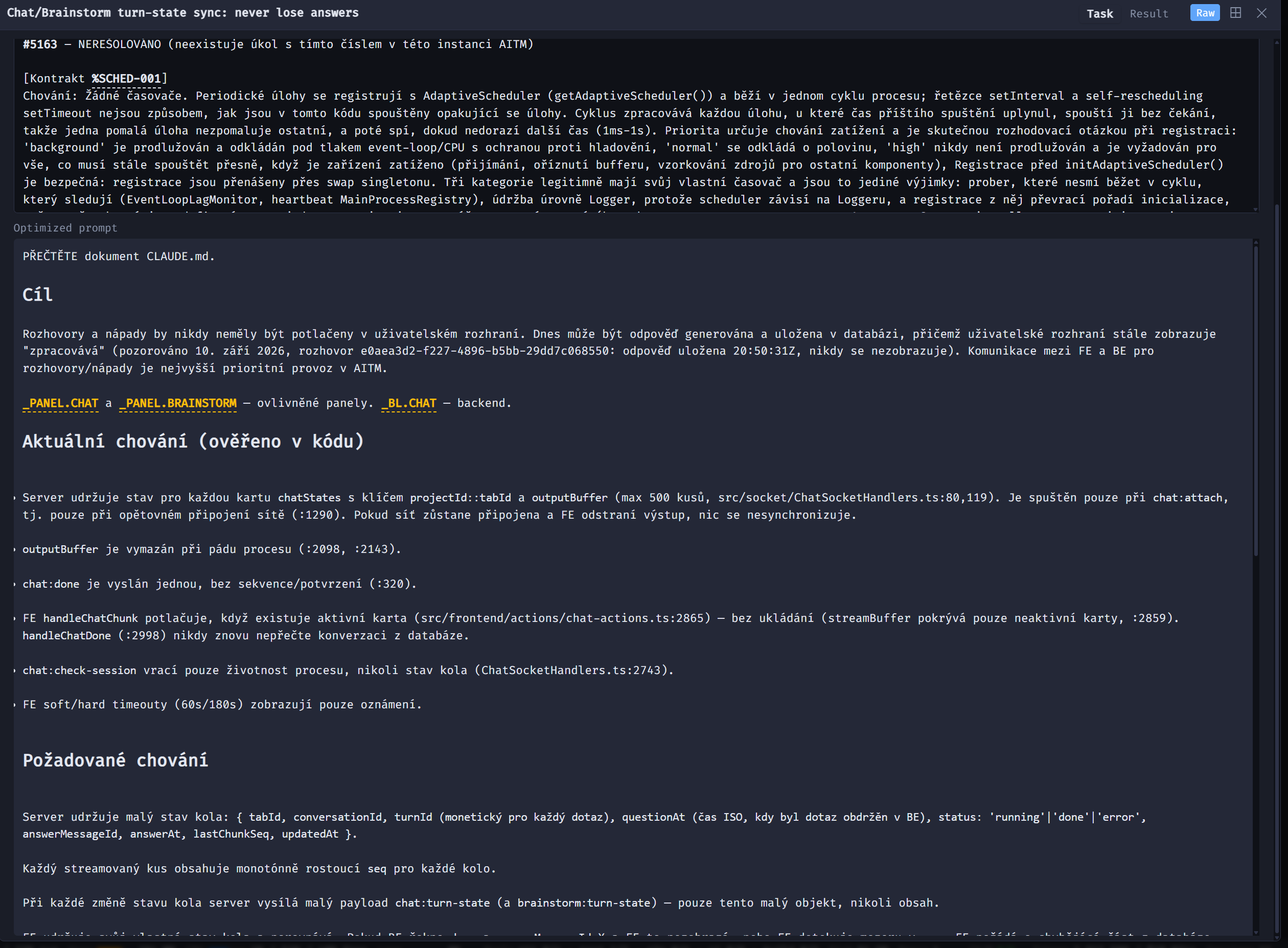
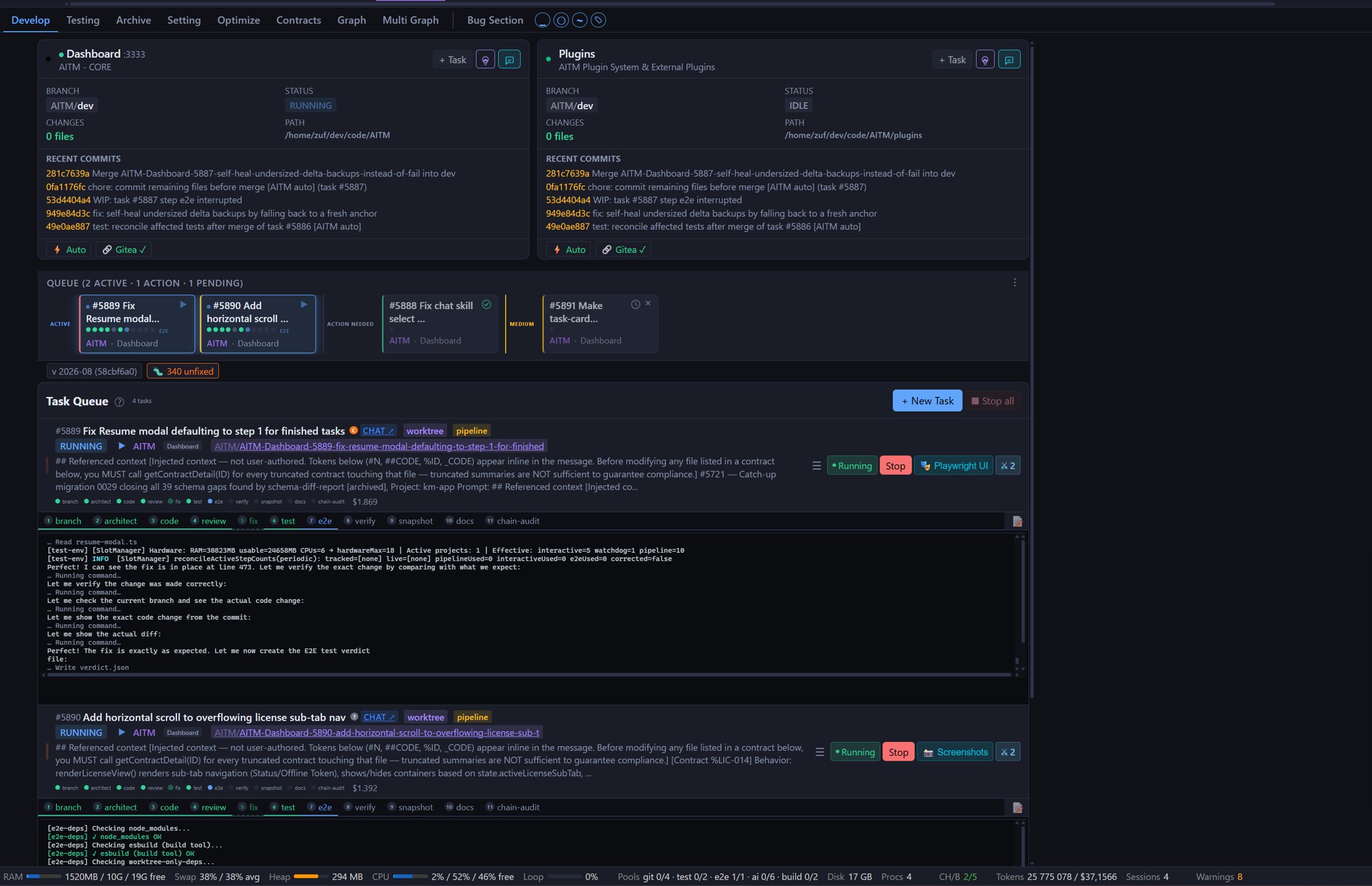
Dev Dashboard — Your Command Center
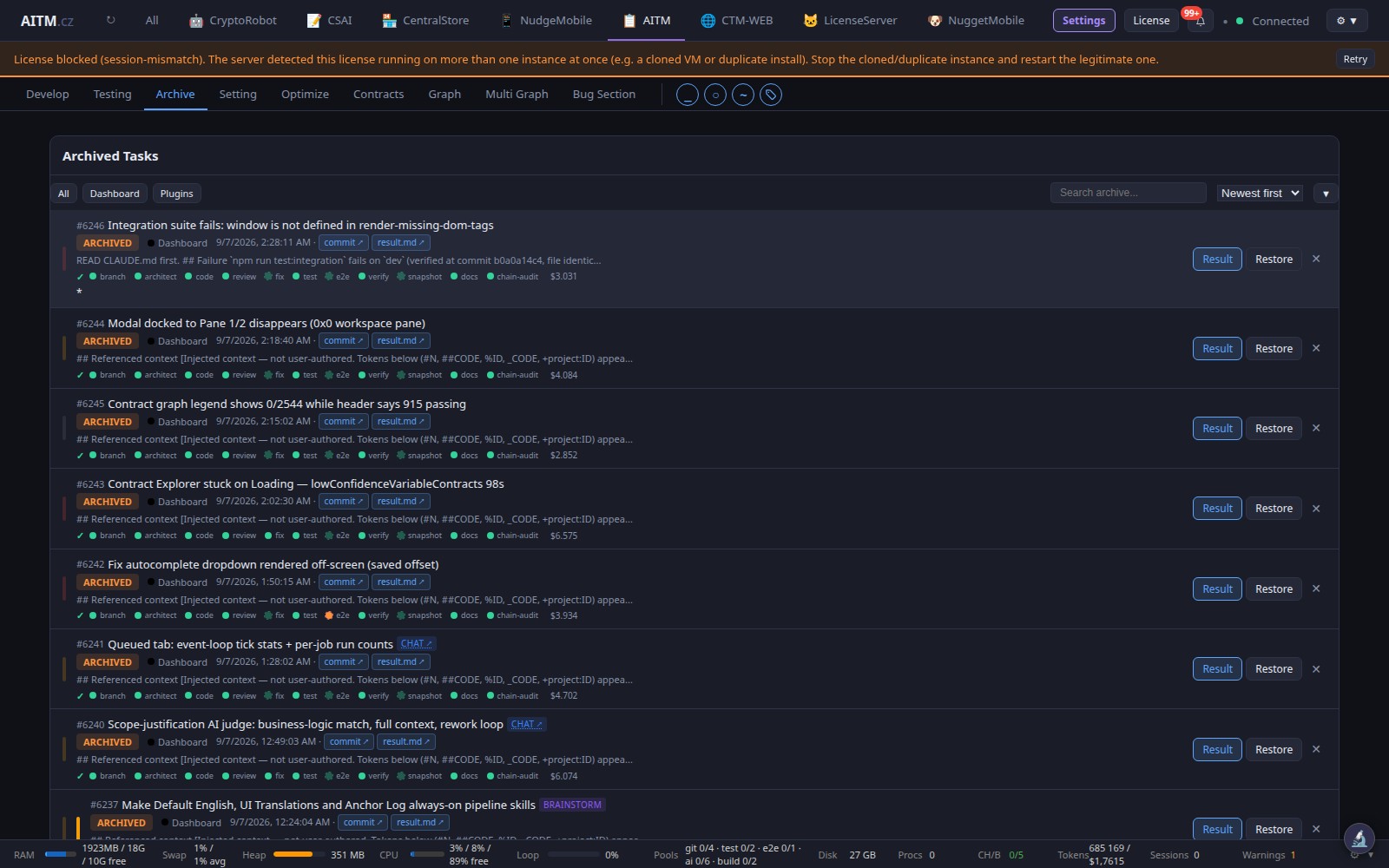
See all your projects, active pipelines, git status, and task queue at a glance. Live console streaming shows AI working in real time. Drag and drop tasks to reorder priority.
How It Works
A 12-step pipeline — from an isolated branch through compliance, review and testing to documentation and chain audit. The merge queue then brings the result into dev.

Branch
Creates an isolated branch and worktree for the task.

Architect
Plans the change using project code and contracts.

Code
Implements the planned changes.

Compliance check
Checks complex tasks against their requirements; skipped for simpler tasks.

Review
Checks the implementation and gives a verdict.

Fix
Resolves findings from review when needed.

Test
Runs automated project tests.

E2E
Tests user journeys in the application.

Verify
Checks the result against acceptance criteria.

Snapshot
Optionally captures the UI for visual comparison.

Docs
Updates documentation and behavioral contracts.

Chain audit
Rechecks earlier tasks at the end of a task chain.
User Guide
Learn how to use every feature. Click to expand.
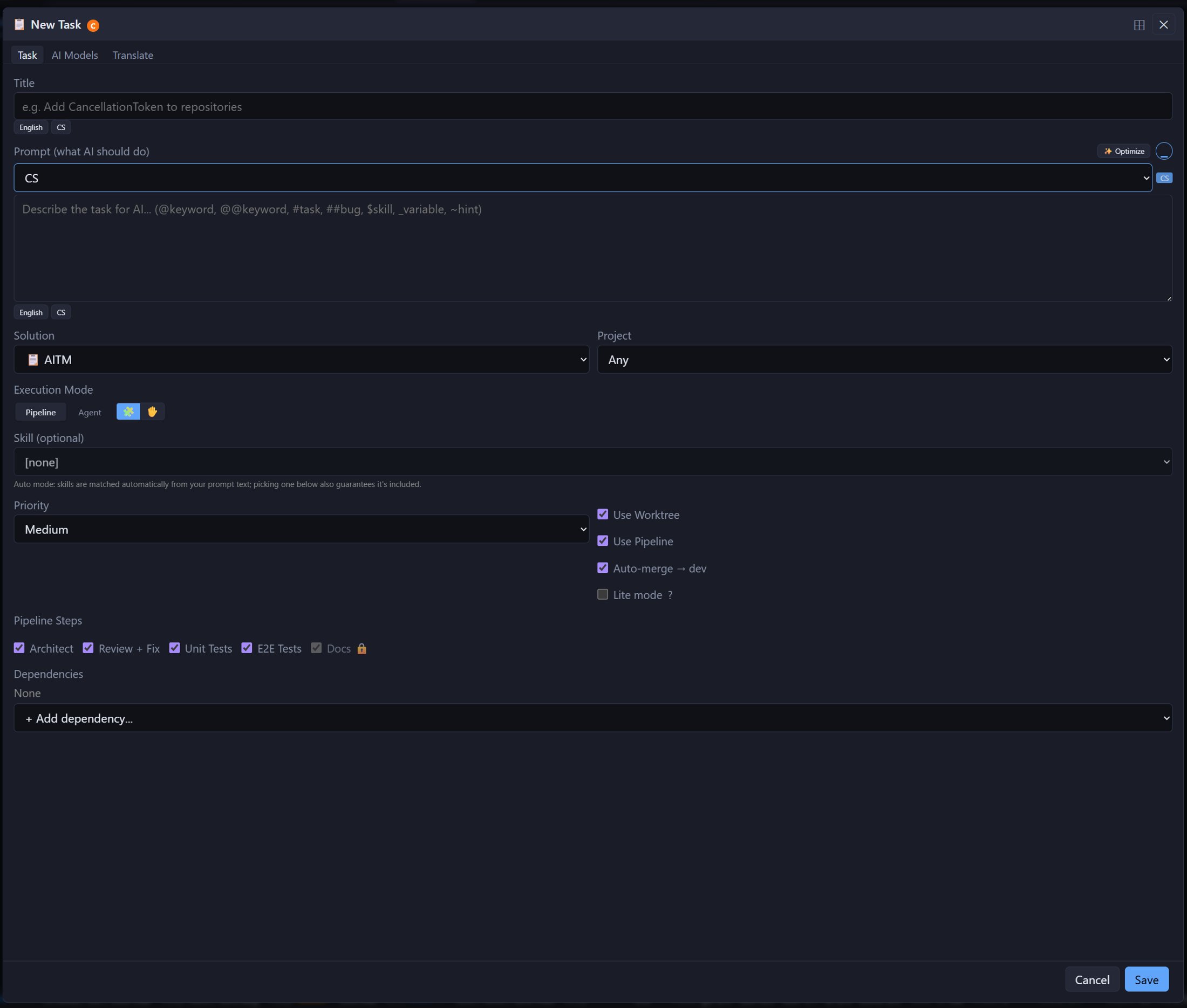
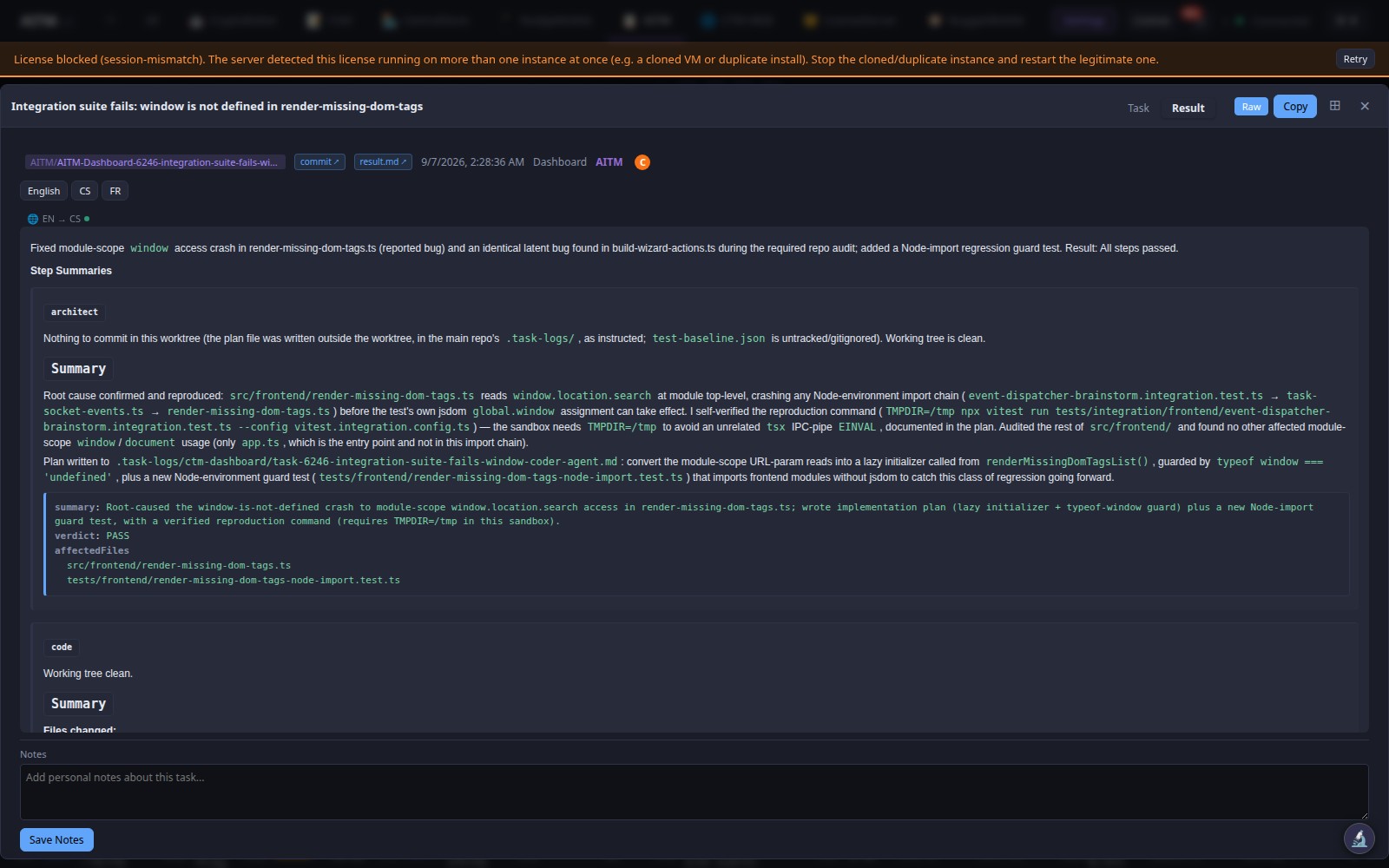

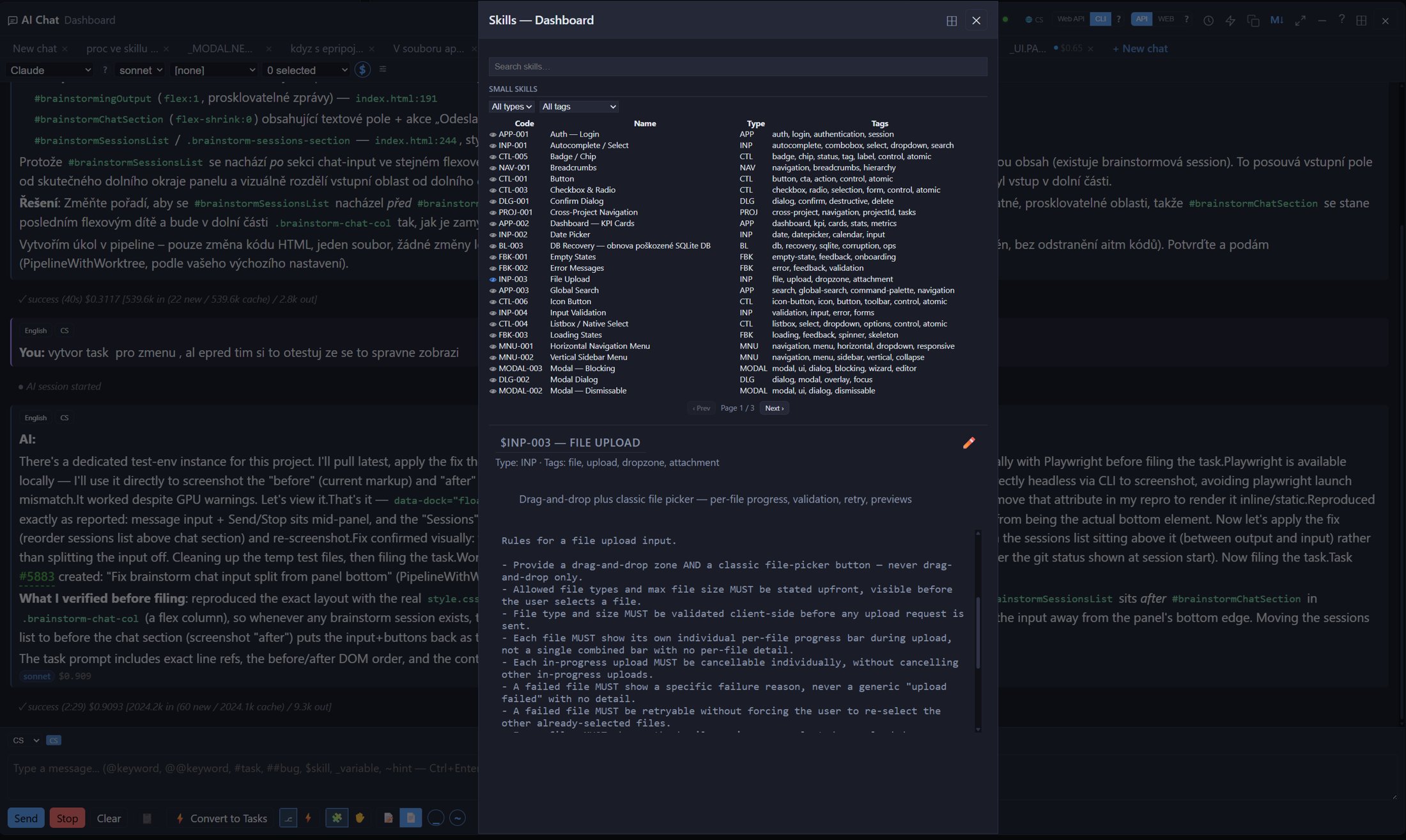
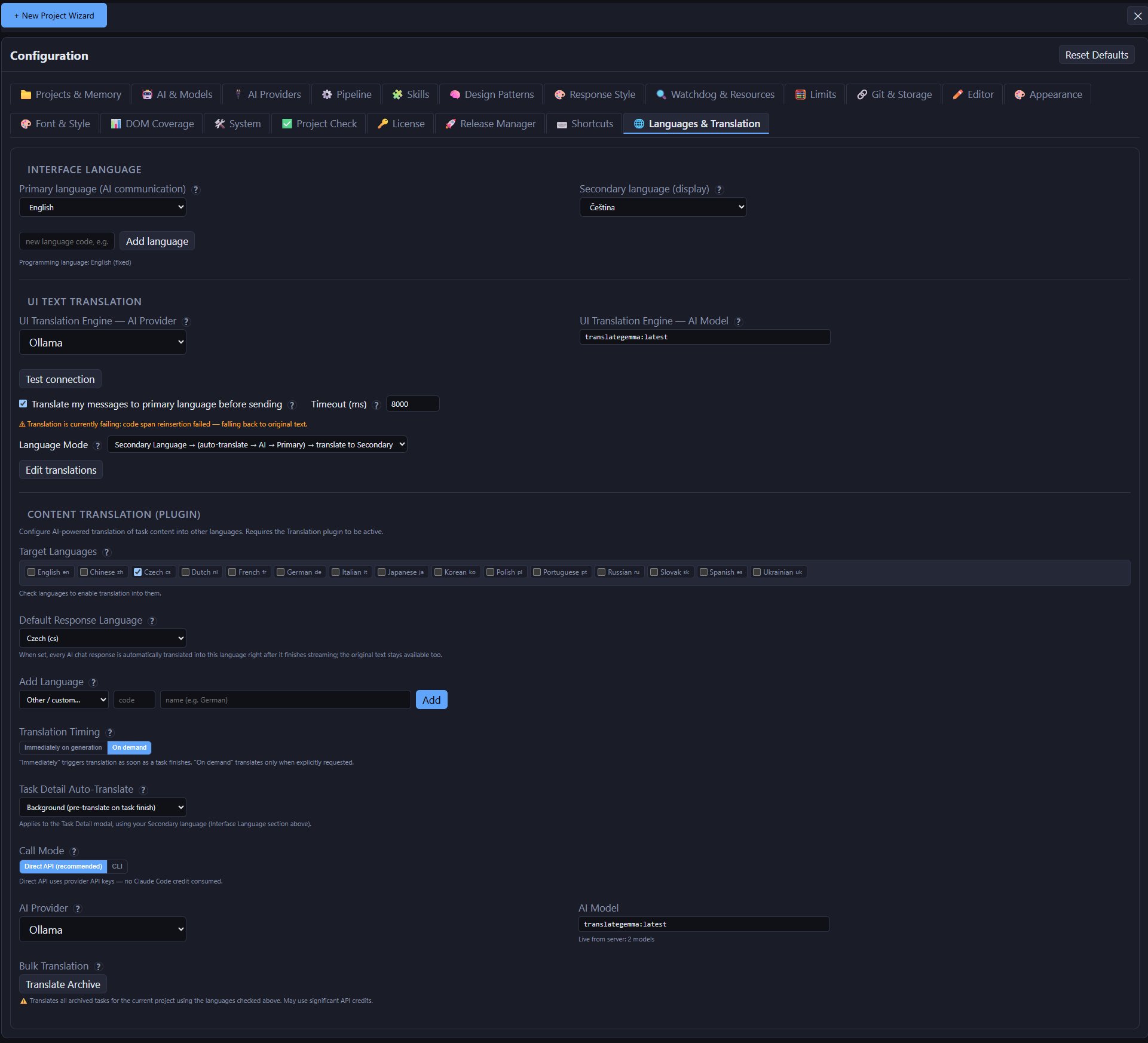
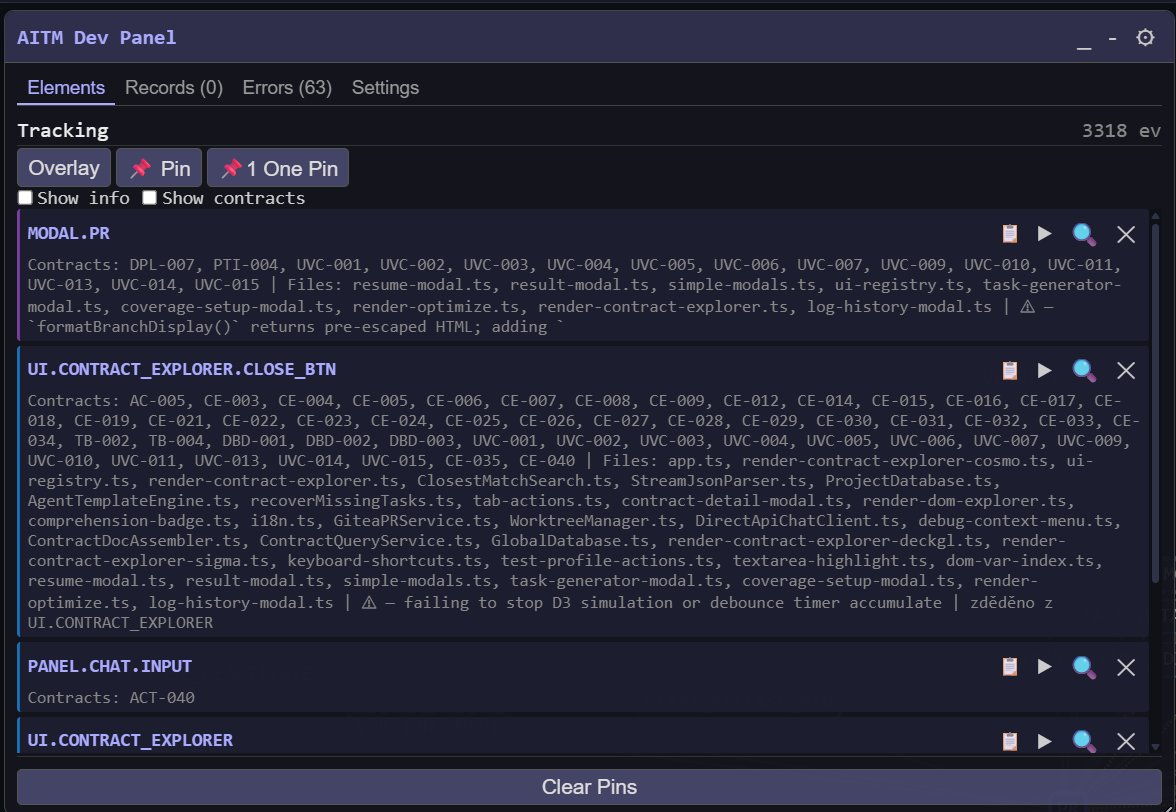
AITM Generates Your Code
AI does the routine coding so teams move faster. AI writes the code with the models you choose. Your team assigns the work, reviews it and decides.
New features and whole modules from a plain-language brief
Bug fixes with a mandatory reproduction: the task proves the bug first and proves it is gone after the fix
Refactoring and modernising large, long-lived codebases with zero risk to the main branch
Unit tests, end-to-end scenarios and documentation that generate and maintain themselves
Dozens of tasks in parallel, each in its own isolated copy of the project
Everything on the server, nothing on workstations
AITM runs on your server and users work through the browser. Source code, worktrees and data never leave the server.
The server carries the load
Builds, tests and AI agents run on the server. Workstations stay light and nothing is installed on them.
Sealed Docker environment
AITM runs in containers separated from other systems, with its own storage for projects, worktrees and data.
Encrypted at rest
Databases, task results, prompts, artifacts and backups are encrypted with AES-256. A stolen disk or a leaked backup is unreadable.
Your code stays in your network
AITM is self-hosted. You choose the AI provider for every step, including a local Ollama model, so a sensitive project never has to leave your infrastructure.
Every change isolated
Each task gets its own git branch and worktree. It reaches the main branch only after review, tests and a build check.
Full audit trail
Every step has a log, a verdict and a reason. You can always trace who asked for what, what the AI changed and why it passed.
AI that knows your project
AITM does not let the AI read the repository blind. Contracts, the UI map and the knowledge graph are injected into every task, so it edits the right place. Architect, coder, reviewer and fix agent run in one pass; you read the result, not a chat. The merge queue resolves conflicts for you.
Delivery you can trust
Every change is reviewed, tested, documented and traceable. Development keeps running around the clock and the pipeline repairs itself instead of waiting for a person. You control cost by choosing the model for each step. Security is part of the design, not an add-on.
You decide WHAT. AITM handles HOW.
Why AITaskManager?
Everything you'd have to do by hand with a plain AI coding tool — automated.
Never Touch a Terminal Again
Branch, architect, code, compliance-check, review, fix, test, e2e, verify, snapshot, docs, chain-audit — one pipeline runs every step for you, then merges the result into dev. Skip any step or resume from failure.
Use the Best AI for Each Job
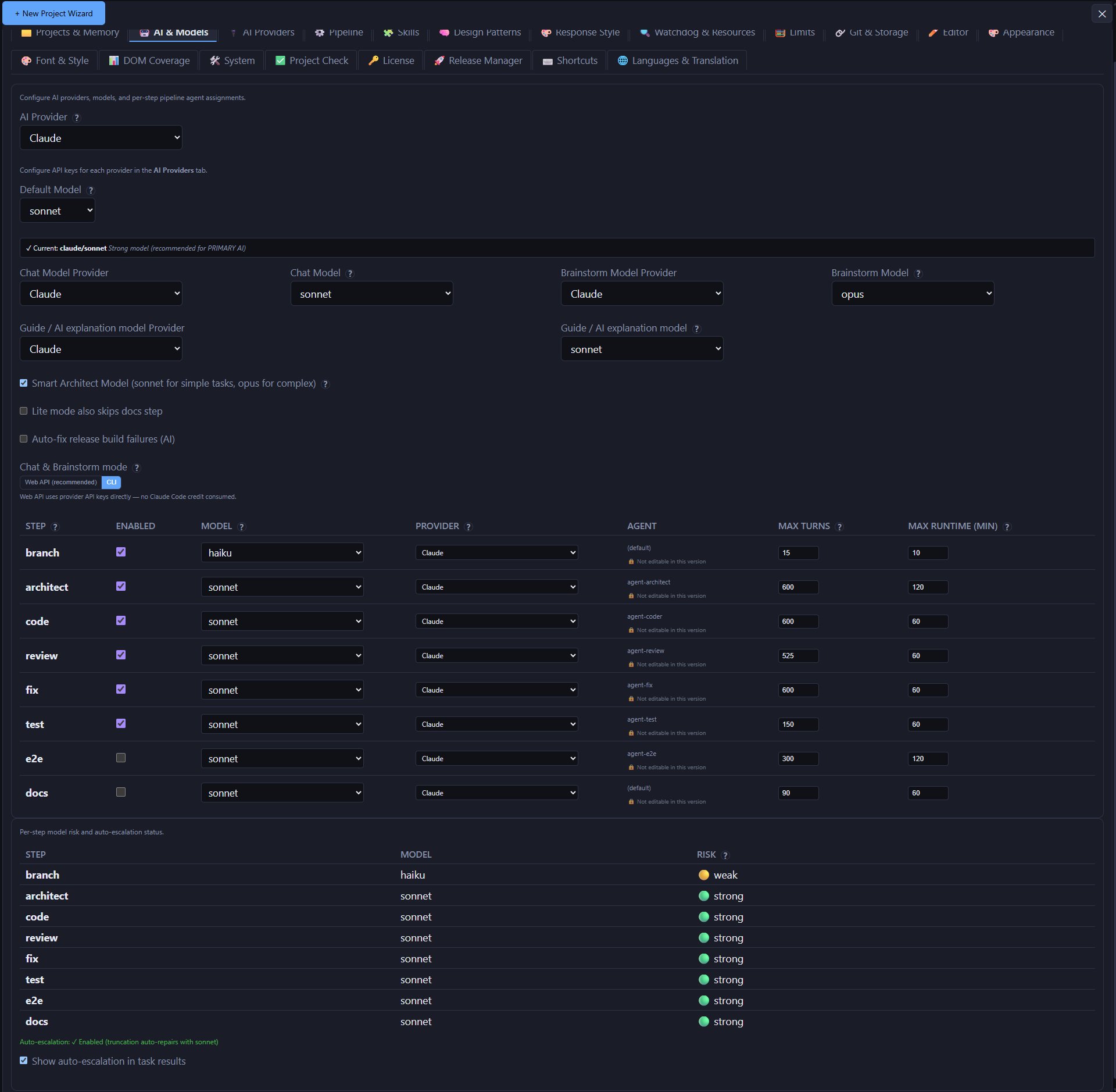
Claude for code, Gemini or OpenAI for review, DeepSeek or NVIDIA-hosted models for tests, a local Ollama model for mechanical steps — pick both the provider and the model independently for every pipeline step, and cut cost without cutting quality.

Stop Getting Hallucinated APIs
Every feature is a testable behavioral contract. AI reads it before coding, so it stops guessing file paths and inventing methods that don't exist.

Your Main Branch Is Always Safe
Every task runs in its own worktree and branch. Nothing touches dev until it's tested and reviewed.

Ship Without Manually Testing
Unit tests and Playwright E2E run automatically on every task, and an optional snapshot step can capture screenshots so UI breakage is easier to spot.

See Exactly What Your Codebase Looks Like
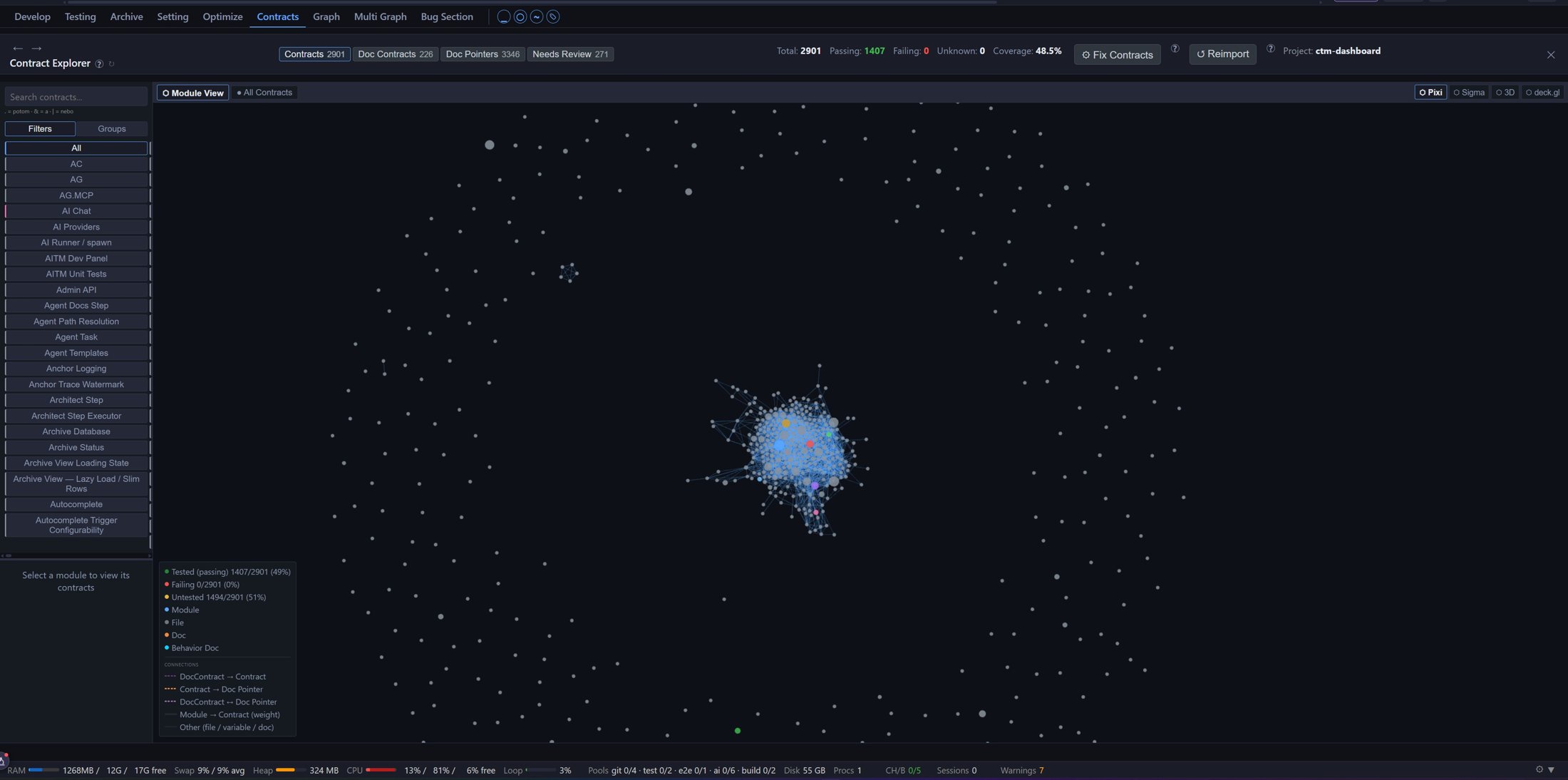
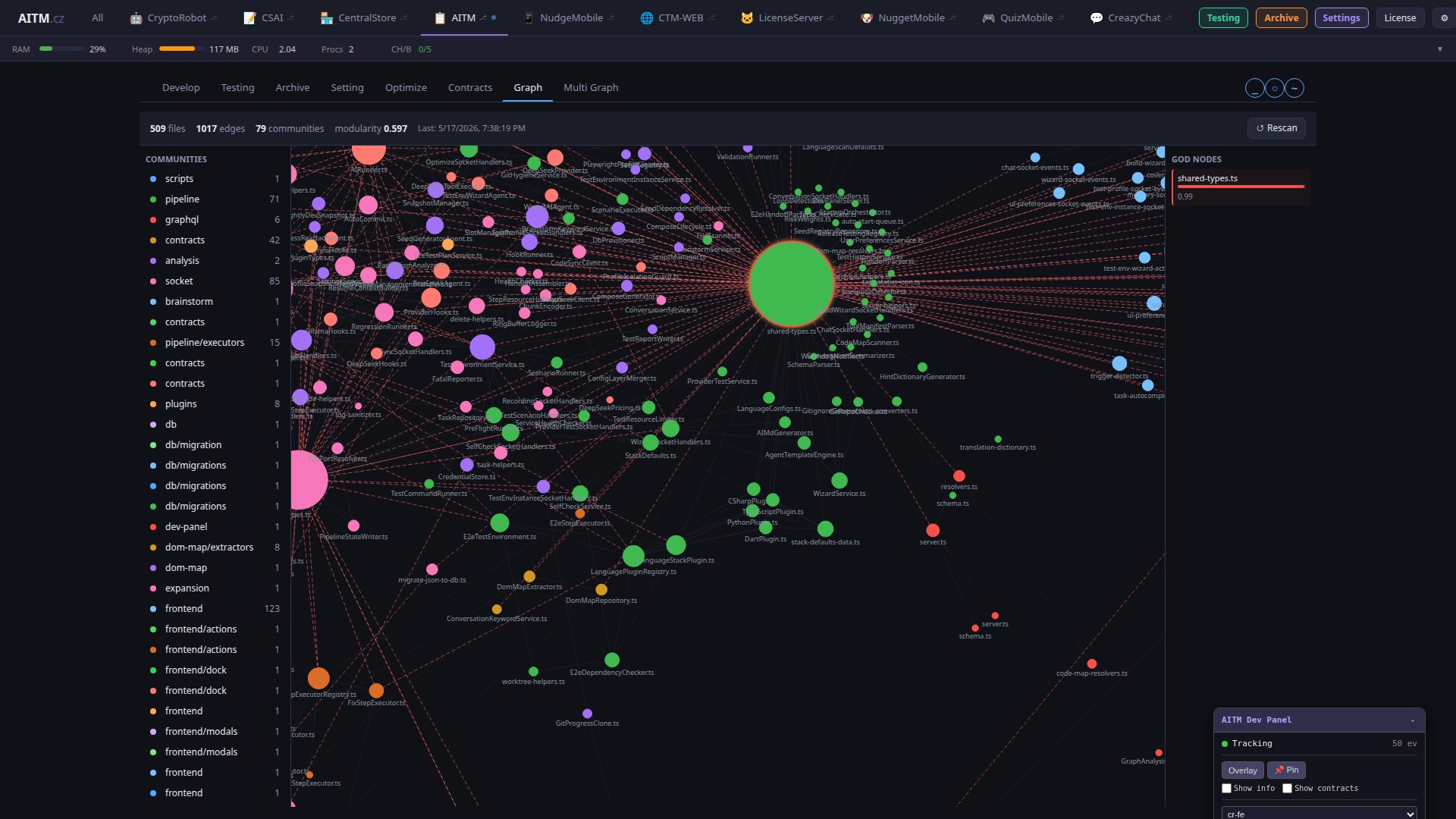
An interactive dependency graph shows file communities, god nodes, and import relationships — no more guessing what a file touches.

Turn a Conversation Into a Task in One Click
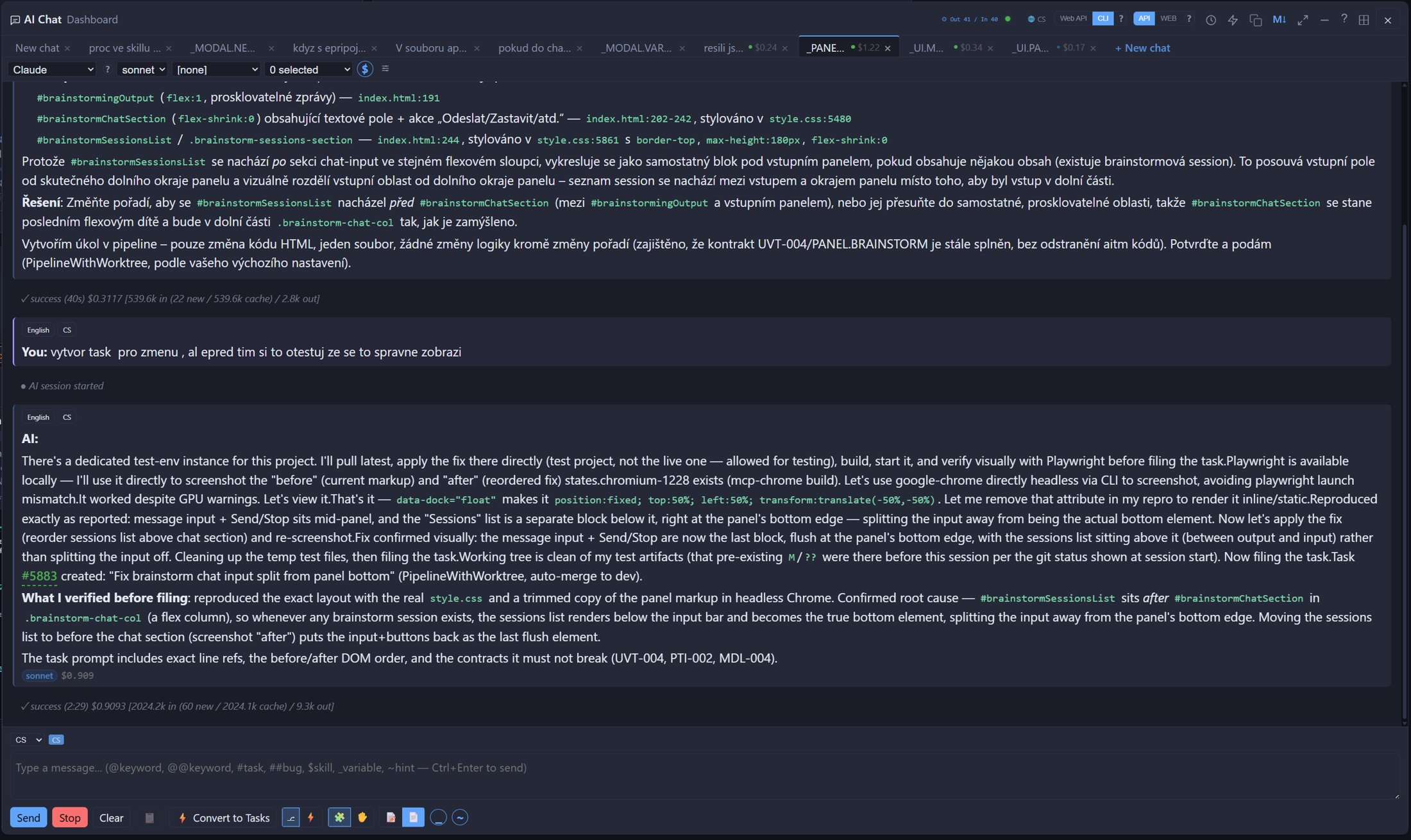
Chat with full project context, brainstorm the approach, then send it straight to the queue.

It Recovers So You Don't Have To
A background watchdog catches stuck tasks and zombie processes and restarts failed steps automatically.

Your AI Learns Your Codebase's Patterns
Reusable hints inject project-specific conventions into every prompt — type ~hint for instant context.

Run Every Project From One Screen
Switch context instantly, queue tasks across projects, and track progress everywhere at once.

Watch the AI Work in Real Time
Full transparency into every command, file change, and decision as it happens.
Queue Tonight, Wake Up to Merged Features
Queue 20 tasks before bed with priorities and dependencies — AITM runs them sequentially while you sleep.
AITM Learns Your Project
The more AITM works on your codebase, the less it has to re-discover every time.
Behavioral contracts capture what your code does — checked before every edit, kept in sync after every merge.

A knowledge graph links variables, contracts, DOM elements, tests, and docs behind one query.

Import a repo and AITM maps its stack, code, and UI before the first task ever runs.

Shared agent templates and structured handoffs keep every AI session — and every provider — on the same page.
Which AI Models Power AITM
AITM is an extension layer, not a model — it orchestrates the AI you choose.
You Bring the Model
AITM requires a paid third-party AI model — Claude, OpenAI, or DeepSeek — or a self-hosted local model. Local models don't yet reach the coding quality AITM's pipeline needs, so they are better suited to lighter tasks. Claude Sonnet on low is the most used and best-performing choice for coding, review, and fix. Fable is occasionally used for task planning and brainstorming. Only the current best-available model is used from OpenAI and DeepSeek.
Why Fewer Hallucinations
A plain agentic system re-infers how your codebase behaves from scratch on every task. AITM instead keeps a persistent, continuously-updated map of your project — behavioral contracts, variables, the DOM map, and a knowledge graph — that every pipeline step checks against instead of guessing. This accuracy improves the longer AITM is used on a project, and is lower on a freshly imported project where contracts are still being built.
Why Lower Cost
AITM's cost advantage comes from routing different pipeline steps to different models based on how complex each step is, including cheaper models where a simpler step doesn't need a top-tier one. This lowers the dollar cost of completing a task — it is a reduction in model cost through routing, not a reduction in token usage.
Why AITM Is More Reliable Than a Plain AI Agent
Compared to manually prompting AI in a chat window.
Stop Babysitting Your AI. Start Shipping.
Every night you skip is a night of merged features you didn't ship. Queue your backlog now — AITM starts orchestrating the moment it launches.
v1.0.0 available now Pick a duration and a time that works for you — we'll send a confirmation link to your email.
Check your email
We've sent a confirmation link to your email address. Click it to confirm your call.
How AITM Works With AI
How prompt size and context are managed across the pipeline.
Prompt Size Per Pipeline Step
Each pipeline step (Architect, Code, Review, Fix, Test, Docs) starts from a focused, step-specific prompt rather than one giant all-purpose prompt. Later steps that need more context (such as Code) build up a larger working context as they explore the task; earlier or narrower steps (such as Docs) stay comparatively small. In every case, the working context is kept well within the token window of the configured model.
Reuse Instead of Re-Sending
The stable part of every prompt (role, rules, tools) is identical across steps, so it is served from the AI provider's prompt cache — typically only a small amount of fresh input is needed per step while the bulk of the context is reused rather than re-sent.
Project Knowledge, Not File Reading
The AI first looks up project knowledge — variables, business-logic contracts, the UI map, then code — before reading files, so each step works from verified project facts.
Tuned Per AI Model
| Provider | Context window |
|---|---|
| Claude | 200K |
| Gemini | 1M |
| OpenAI | 128K |
| NVIDIA | 128K |
| DeepSeek | 64K |
| Local Ollama (default) | 8K |
Models with smaller context windows or weaker reasoning get a more compact version of the prompt that still contains the same working rules, so even a local model follows the same process.
One System — GUI, Pipeline, Data, and Contracts
AITM doesn't replace Claude Code, Cursor, or your favorite AI coding tool — it orchestrates them. Point it at the same models you already use; it adds the pipeline, safety net, and project memory around them.
Visual layer you can actually see
A live dashboard shows every project, running pipeline, and queued task in real time. The DOM Explorer maps each UI element to its data-aitm code, and screenshot history keeps a visual record of how each screen changed over time.
A pipeline, not a chat window
One prompt runs the full 12-step pipeline — branch → architect → code → compliance-check → review → fix → test → e2e → verify → snapshot → docs → chain-audit — and then the merge queue merges the change into dev. Each task gets its own isolated git worktree, so your main branch is never touched mid-run, and a watchdog detects stalled steps and retries them automatically.
Everything is stored, nothing is guessed
Each project has its own database holding behavioral contracts and task history. A global database holds settings, hints, and the variable registry shared across projects. Every task keeps its own log folder and archived result, so you can go back to any run later.
Strict data separation between projects
One project's data never mixes with another's — each project keeps its own separate database file. Work in progress stays inside its own worktree until it is reviewed, tested, and merged, so nothing half-finished leaks into the main branch.
Data, business logic, and GUI are linked
Every UI element carries a data-aitm code tied to a behavioral contract that describes its expected behavior and points at the exact source file and variable in code. AI agents read that verified specification instead of guessing intent from raw source.