The DOM Explorer and Code Graph show your entire codebase as an interactive dependency graph, and for web projects, the real DOM elements wired to the behavior they trigger.
DOM Explorer & Code Graph
The code dependency graph
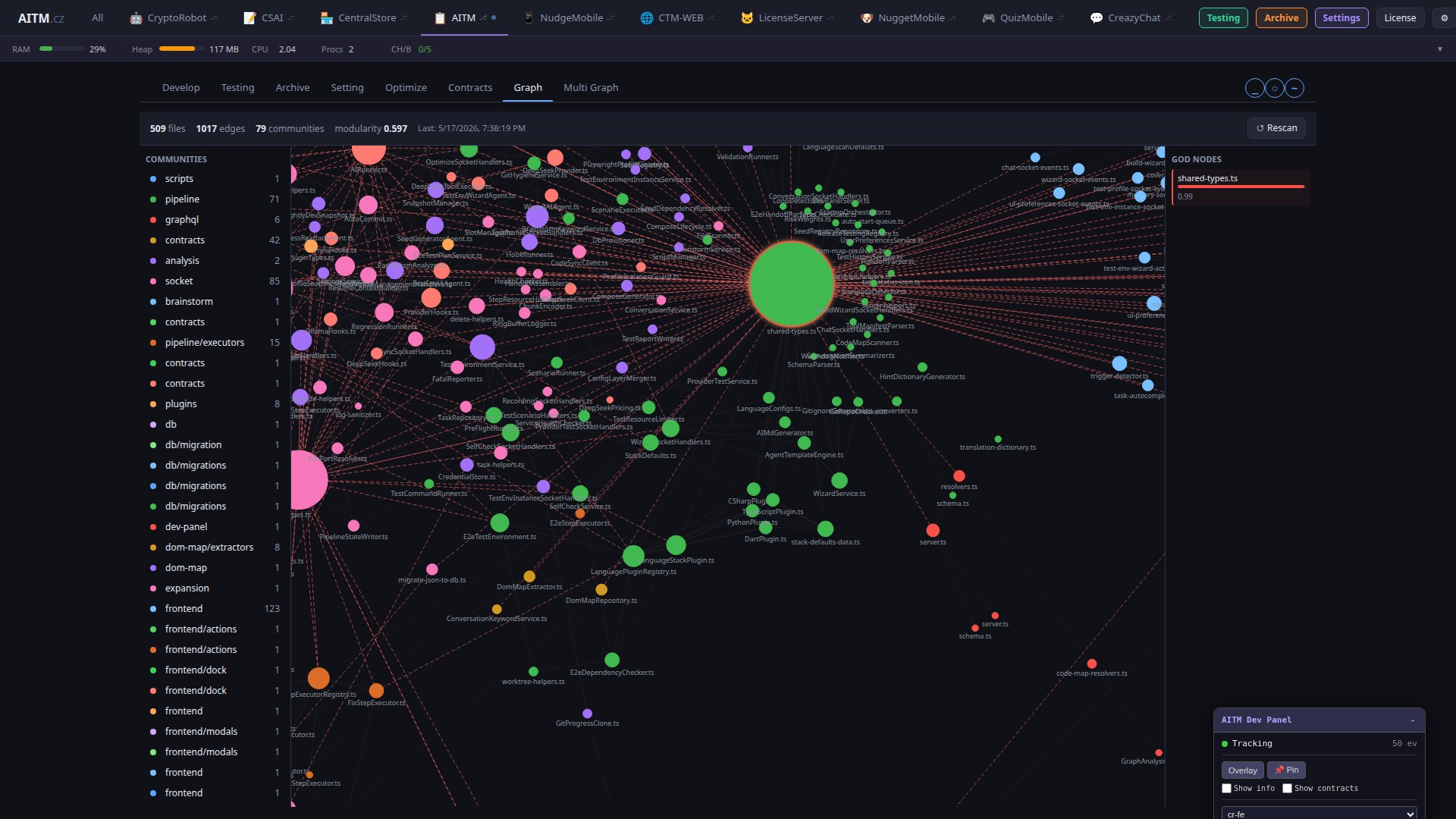
The Code Graph visualizes the files in your project as nodes connected by imports. Files are automatically clustered into communities based on import patterns, so you can see natural module boundaries at a glance without drawing them by hand.
- God nodes — files with a disproportionately high number of dependencies, good candidates for splitting.
- Dead code — files with no incoming edges (imported by nothing), which are likely safe to remove.
- Circular dependencies — groups of files that import each other, which complicate refactoring.
What data-aitm attributes are
For web projects, AITM additionally maps real DOM elements via a data-aitm="MODULE.ELEMENT" attribute on every interactive element (button, input, container). This code ties the visible element to its behavior in code — the handler function, target route, or API call it triggers — and to the behavioral contract that documents that behavior.
Click-to-effect chains
When an element carrying data-aitm also carries data-action, AITM tracks what effect clicking it causes — opening a modal, navigating, calling an API, or emitting a socket event. These "click → effect" chains form a separate map alongside the file dependency graph, and AI reads them before touching a UI element so it understands the blast radius of a change before making it.
Self-healing E2E selectors
Because every data-aitm code is stored in the database together with its current DOM selector, E2E tests can look up an element by its stable code instead of a brittle CSS/XPath selector. When the DOM structure changes, the map is automatically re-resolved on the next pipeline run, so tests don't stay broken just because a class was renamed or a tag moved.
Tips
- Use the god-node highlighting to spot files worth splitting per the rules in CLAUDE.md.
- Elements without a
data-aitmattribute never show up in the effect map — add one to every new interactive element. - Click any graph node to see the files it imports and the files that import it.