Brainstorm is a planning space where you and an AI work out what should be built or fixed before anything becomes a task. Instead of a single change, a brainstorm session produces a set of proposed tasks you can review, edit, and selectively send into the pipeline.
Brainstorm
The Brainstorm panel
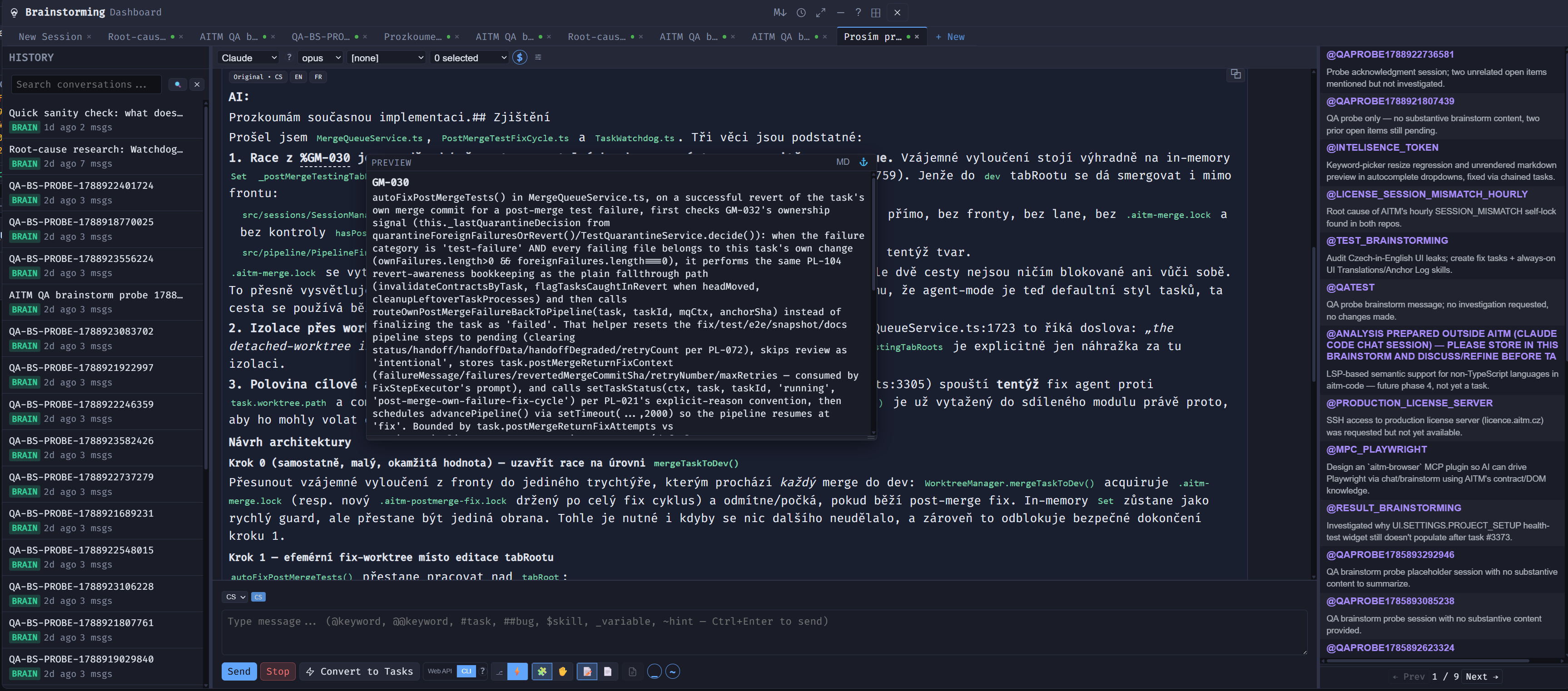
Click the Brainstorm (bulb) button on a project card. The panel looks similar to Chat — a conversation area and a message box — but its purpose is planning rather than answering. Describe the goal in broad terms (a feature idea, a pain point, a redesign) and discuss it with the AI: ask it to break the goal into pieces, question assumptions, or explore alternatives. A session list lets you return to previous sessions, each with a short summary of what was discussed.
Planning only — no code changes
A brainstorm session doesn't touch any code by itself; nothing happens to your project until you actually create tasks from it. Use it to talk through "how should we approach X", compare trade-offs, or sanity-check a design before you commit to building it.
Clickable contract and skill chips
Just like in Chat, bare contract IDs (e.g. PL-001) and skill references in the form $SKILL-NAME that appear in Brainstorm's replies are rendered as clickable chips. Click a contract chip to see its full detail, or a skill chip to see its content — no need to look the reference up manually.
Keywords: @KEYWORD
Useful conclusions can be kept as keywords. Typing @KEYWORD in a later prompt — in Chat, in a new task, or in another Brainstorm session — inserts the keyword, and @@KEYWORD inserts it with its full content, so you never have to re-explain a decision you already made.
Task proposals and  Convert to Tasks
When you're ready, ask the AI to propose tasks, or click Convert to Tasks to generate several tasks from the whole brainstorm. Each proposal appears in the conversation as a short, structured card with a title and description. Pick Pipeline or Agent mode and click Create Task — it opens the New Task dialog pre-filled with the proposal. ✎ Edit lets you adjust the proposal first; Cancel dismisses it and nothing gets created.
Shared with Chat
Brainstorm has the same Web API / CLI engine toggle, the same writing-language selector with its badge, and the same typing shortcuts (@keyword, @@keyword, #task, ##bug, $skill, _variable, ~hint) as Chat, and the panel can be docked the same way.
Tips
- Use Brainstorm for anything where you're not yet sure what the right unit of work is — it costs nothing in code risk.
- You don't have to create every proposal — pick only the ones that make sense right now.
- Proposals are drafts; tighten the wording before creating a task, since a clearer prompt gets a better pipeline result.
Related: Chat — use Chat when you already have a specific question; use Brainstorm for open-ended planning.